Your High Score Saves Picks
D2K Free Play and High Score Save Kit You can also add a processor and/or a 40-pin socket—optional but recommended for easy installation. Overview A simple-to-install multigame kit that permanently remembers the top 5 scores and initials for Donkey Kong and Donkey Kong II. Features deluxe Freeplay, attract mode sound, power-up self test, and on-screen settings. Installs in minutes! Works on a 2- or 4-board stack. Ships with the latest 1.2a version software. Main Features Switch between games by holding both player start buttons for five seconds, then pressing jump (available in freeplay mode). Installs in minutes. No board modifications or special wiring required. Permanently saves the Top 5 high scores and initials, even after power off. True Freeplay — no coins required, no coin door access needed. Full attract mode while in freeplay. Selectable attract mode sound. Extensive power-up diagnostics automatically test your board each time the game powers up. On-screen settings menu for changing options or erasing scores without opening the cabinet. Note: This kit does not include the ladder cheat. Game List Donkey Kong Donkey Kong II – D2K Jumpman Returns Important Installation Notes Remove the Z80 chip from your DK CPU board, insert it into the daughter card, and plug the daughter card into the vacated Z80 socket. Ensure your Z80 is socketed. If not, you will need to solder one in. Read the Installation Guide before setup. Just the FAQ's How do I switch between Donkey Kong and Donkey Kong II? Hold both player start buttons for ~5 seconds, then press jump. (Only available in Freeplay mode.) Are high scores and initials saved permanently? Yes. The kit saves the Top 5 scores and initials for both Donkey Kong and Donkey Kong II, even after power off. Does this kit include the ladder cheat? No. This kit does not include the ladder cheat. What boards does this kit support? It works on both 2-board and 4-board Donkey Kong stacks. Where can I download the Installation Guide? You can download it here: D2K Installation Guide (PDF).
Customize Your 1943 Free Play and High Score Save Kit Build your kit exactly how you want it. Choose a Wi-Fi Enabled Kit or a Standard Save Kit. You can also add a processor and/or a 40-pin socket—optional but recommended for easy installation. Learn More About This Kit Click a button to view details, tips, or the installation guide. Main Features Easy installation: No soldering, board modifications, or special wiring—just plug and play. Permanent score saving: Reliable serial EEPROM storage (no batteries or failure-prone NVRAM). High score tracking: Saves the Top 5 scores on screen Attract sounds: Play sounds at 25%, 50%, or 100% of attract-screen rotations. Freeplay mode: Coin-free play with optional coin operation. Attract mode protection: Reduces screen burn by eliminating static screens. Menu-driven DIP settings: Change game options without opening the cabinet. ROM saver: Optionally remove original program ROMs to reduce power use. Cabinet compatibility: Works in Upright and Cocktail arcade cabinets. Additional Features Backup & restore: Save and reload high scores—great for game-room parties. Separate score tables: Unique high-score tables based on difficulty selected (1-16). God Mode: Practice endlessly (scores are not saved in this mode). Important Installation Notes Socketed Z80 required: If your Z80 isn’t socketed, install a 40-pin socket for this kit to work. Read the 1943 Free Play and High Score Save Kit Installation Guide / Manual (PDF) before setup. Just the FAQ's Is installation truly plug-and-play? Yes. No soldering or board mods are required. Ensure your Z80 is socketed (or add a 40-pin socket). How many scores are saved? The kit saves the Top 5 scores. What’s the difference between Wi-Fi and Standard kits? The Wi-Fi kit uploads scores online and syncs to your personal page; the Standard kit saves locally only. Where can I download the Installation Guide? Download the 1943 Free Play and High Score Save Kit Setup Instructions / Installation Manual (PDF) Resources 1943 Free Play and High Score Save Kit — Installation Guide / Manual (PDF) HighScoreSaves YouTube Channel — Installation Tips HighScoreSaves Facebook Page HighScoreSaves Reddit Community
Customize Your 1942 Free Play and High Score Save Kit Build your kit exactly how you want it. Choose a Wi-Fi Enabled Kit or a Standard Save Kit. You can also add a processor and/or a 40-pin socket—optional but recommended for easy installation. Learn More About This Kit Click a button to view details, tips, or the installation guide. Main Features Easy installation: No soldering, board modifications, or special wiring—just plug and play. Permanent score saving: Reliable serial EEPROM storage (no batteries or failure-prone NVRAM). High score tracking: Saves the Top 5 scores on screen and Top 25 total scores. Attract sounds: Play sounds at 25%, 50%, or 100% of attract-screen rotations. Freeplay mode: Coin-free play with optional coin operation. Attract mode protection: Reduces screen burn by eliminating static screens. Menu-driven DIP settings: Change game options without opening the cabinet. ROM saver: Optionally remove original program ROMs to reduce power use. Cabinet compatibility: Works in Upright and Cocktail arcade cabinets. Additional Features Backup & restore: Save and reload high scores—great for game-room parties. Separate score tables: Unique high-score tables based on lives selected (1&3 or 2&5 lives). God Mode: Practice endlessly (scores are not saved in this mode). Important Installation Notes Socketed Z80 required: If your Z80 isn’t socketed, install a 40-pin socket for this kit to work. Read the 1942 Free Play and High Score Save Kit Installation Guide / Manual (PDF) before setup. Just the FAQ's Is installation truly plug-and-play? Yes. No soldering or board mods are required. Ensure your Z80 is socketed (or add a 40-pin socket). How many scores are saved? The kit saves the Top 5 scores on-screen and up to 25 total scores. What’s the difference between Wi-Fi and Standard kits? The Wi-Fi kit uploads scores online and syncs to your personal page; the Standard kit saves locally only. What is God Mode? God Mode allows endless practice without losing lives. Note: scores are not saved in this mode. Where can I download the Installation Guide? Download the 1942 Free Play and High Score Save Kit Setup Instructions / Installation Manual (PDF) Resources 1942 Free Play and High Score Save Kit — Installation Guide / Manual (PDF) HighScoreSaves YouTube Channel — Installation Tips HighScoreSaves Facebook Page HighScoreSaves Reddit Community
Customize Your Arkanoid Multigame Free Play and High Score Save Kit Build your kit exactly how you want it. Choose a Wi-Fi Enabled Kit or a Standard Save Kit. Optional components like a processor or 40-pin socket make setup fast, reliable, and ideal for any classic arcade cabinet installation. Learn More About This Kit Click a button to view details, tips, or the installation guide. Main Features Easy installation: No soldering or board modifications required—just plug and play. Permanent high score saving: Reliable serial EPROM storage (no batteries or failure-prone NVRAM). High score tracking: Saves the Top 5 scores per game, with separate tables based on lives selected. Attract mode sounds: Selectable music and sound effects during attract-screen rotations. Freeplay mode: Play without coins while still supporting coin operation. Continue mode: Allows continues in coin mode (not in freeplay). Coin up support: Full support for traditional coin operation. Screen burn protection: Reduces static screens to protect monitors. Menu-driven DIP settings: Adjust options from the menu without opening the cabinet. ROM saver: Optionally remove original ROMs to reduce power use. Cabinet compatibility: Works in Upright and Cocktail arcade cabinets. Additional Features Backup & restore: Save and reload scores—ideal for tournaments and parties. Separate score tables by lives: Distinct records for 2, 3, or 4 lives. Reset button: Restart games without powering down. Self-test access: Run diagnostics directly from the menu. Default game selection: Boot to Arkanoid, Arkanoid Tournament, or last played game. God Mode: Practice endlessly (scores not saved in this mode). Flip screen support: Rotate the display for different cabinet orientations. Important Installation Notes Socketed Z80 required: If your Z80 isn’t socketed, install a 40-pin socket for this kit to work. Read the Arkanoid Multigame Free Play and High Score Save Kit Installation Guide / Manual (PDF) before setup. Supported Games Arkanoid Arkanoid Tournament Just the FAQ's Which games are supported? This kit supports Arkanoid and Arkanoid Tournament. How many scores are saved? The kit saves the Top 5 scores per game, with separate tables depending on lives chosen. Does the kit support continue mode? Yes. In coin mode you can continue playing after game over. Continue is not available in freeplay. Can I set a default game? Yes. You can configure the kit to boot to Arkanoid, Arkanoid Tournament, or the last game played. What is God Mode? God Mode provides infinite gameplay for practice. Scores achieved in this mode are not saved. Does it support flip screen? Yes. You can rotate the display 180° to support different cabinet orientations. Where can I download the Installation Guide? You can download it here: Download the Arkanoid Multigame Free Play and High Score Save Kit Setup Instructions / Installation Manual (PDF) . Resources Arkanoid Multigame Free Play and High Score Save Kit — Installation Guide / Manual (PDF) HighScoreSaves YouTube Channel — Installation Tips HighScoreSaves Facebook Page HighScoreSaves Reddit Community
19 Inch Amplifone Monitor Bracket Set – Reproduction The 19 Inch Amplifone Monitor Bracket Set is a precision reproduction for arcade cabinet restorations. These brackets provide strong support and accurate alignment for Amplifone vector monitor assemblies, helping ensure reliable performance in your classic arcade machine. Ideal for collectors, restorers, and enthusiasts seeking an authentic fit and function. Key Features Reproduction of the original 19 inch Amplifone monitor brackets. Precision cut construction for proper fit and long term stability. Durable materials for dependable, long lasting use. Compatible with titles such as Star Wars, Major Havoc, and other vector cabinets using Amplifone monitors. Includes complete left and right bracket set for straightforward installation. Why This Bracket Set? Using the correct bracket system secures your Amplifone monitor safely, protecting cabinet integrity while delivering authentic arcade performance. Whether restoring a machine or replacing worn hardware, this set provides the strength and accuracy you need. Compatibility Designed specifically for 19 inch Amplifone monitor assemblies commonly found in arcade machines like Star Wars (Atari), Major Havoc, and other cabinets originally shipped with Amplifone vector monitors. Included in the Set One pair of monitor brackets (left and right) Factory spec mounting holes for easy, accurate installation
MB14241 Reproduction Data Shifter (Space Invaders / Deluxe Replacement) Bring your classic Midway Taito hardware back to life with this MB14241 Reproduction Data Shifter. This new-manufacture IC is a drop-in, pin-compatible replacement for the original MB14241 custom chip found on Space Invaders and Space Invaders Deluxe arcade PCBs. If your game is showing scrambled, misaligned, or missing graphics, the data shifter is often the culprit—this reproduction restores proper video output. Key Features Direct replacement for the MB14241 data shifter IC used in Taito/Midway Space Invaders boards. 28-pin DIP footprint for easy socketed installation. 100% new components — no recycled pulls. Batch tested for reliable timing and stable video performance. Packaged in anti-static protective wrap for safe handling. Typical Compatibility Space Invaders (Midway/Taito original) Space Invaders Deluxe Other hardware revisions and licensed boards that call out MB14241 in the parts list Always confirm your PCB revision before ordering — some bootlegs and conversions may use alternate ICs. Installation Notes Verify if you need to install a socket for this product.Power down and discharge your cabinet before handling the PCB. Use proper ESD precautions; install into a quality 28-pin socket. Align the orientation notch with the board silkscreen to avoid damage. If video issues persist, check related RAMs/ROMs and edge connector signals. Why Replace the MB14241? After decades of operation, the original MB14241 chips frequently fail, causing garbled aliens, misplaced rows, or blank areas on screen. This reproduction restores clean and correct shifting of video data, ensuring your Space Invaders plays and looks the way it did in 1978. What’s Included 1× MB14241 Reproduction Data Shifter Protective anti-static packaging Space Invaders is a trademark of Midway | Taito Corporation. This is a third-party reproduction component intended for use as a service replacement on original arcade hardware.
Customize Your Tapper Multigame Free Play and High Score Save Kit Build your kit exactly how you want it. Choose a Wi-Fi Enabled Kit or a Standard Save Kit. You can also add a processor and/or a 40-pin socket—optional but recommended for easy installation. Learn More About This Kit Click a button to view details, tips, or the installation guide. Cabinet Controls Your Tapper cabinet has one tap “spout” control; Timber normally uses two buttons (chop left/right). This kit maps controls so each game plays correctly with your panel. If installed in a Tapper cabinet (playing Timber) 1 player only for Timber Tap + move joystick left = chop left Tap + move joystick right = chop right If installed in a Timber cabinet (playing Tapper) Tapper uses Player 1 joystick; “chop” left/right act as tap Supports 2-player simultaneous Timber Features Easy install – No soldering, board mods, or special wiring. Plug into Tapper or Timber PCB. Save your scores forever – Uses a serial EPROM (not failure-prone NVRAM or batteries). High Score Save – Saves Top 10 scores (optionally Top 3). Separate score tables – Different HSS for each of the four game menus. Attract Sounds – Adjustable at 25%, 50%, or 100% of attract rotation. Freeplay – No more coins or opening the coin door. Coin Up – Still supports coins if desired. Attract Mode – Reduces screen burn; optional sound. Menu-driven DIP – Change DIP settings on-screen; no cabinet opening required. ROM Saver – Original program ROMs may be removed. Cabinet support – Works in Upright, Cocktail, or Cabaret. Backup & Restore – Save/restore scores (great before/after parties). Reset Button – Restart a game without power-cycling (enable in menu). ROM Revisions – Uses the latest revisions. Choose boot game – Tapper, Timber, Root Beer Tapper, or Simpsons Tapper. Additional Features Choose starting lives in the menu. Select bonus life threshold (10,000 / 20,000 / 40,000 / 80,000). Separate high-score table for each lives setting. Show original Midway logos or website branding. Menus for normal DIP vs custom settings. Option to lock the sub-menu so guests can’t change settings. Stealth Mode – Boot to last played game or a selected title. Game List Tapper Timber Root Beer Tapper Simpsons Tapper Important Ensure your Z80 is socketed. If not, install a 40-pin socket for this kit to work. Read the Installation Guide (PDF) before installing. Just the FAQ's Do I need to solder anything? No, this kit is plug-and-play. No soldering or board modifications required. Does it save my high scores? Yes, it saves the Top 10 scores, and you can optionally set it to Top 3. How does it handle cabinet controls? Controls are automatically mapped for Tapper or Timber cabinets so both games play correctly. Can I still use coins? Yes, the kit supports both Freeplay and Coin Up modes. Does it work with different cabinet types? Yes, it supports Upright, Cocktail, and Cabaret cabinets. What games are included? Tapper, Timber, Root Beer Tapper, and Simpsons Tapper. Can I back up and restore scores? Yes, you can back up and restore your high scores—ideal for events or parties. What is Stealth Mode? It allows the kit to boot directly to the last played game or a chosen title. What processor does it require? A socketed Z80 CPU is required for this kit to function. Where can I find the installation guide? You can download it here: Tapper Multigame Installation Guide (PDF)
Average rating of 5 out of 5 stars
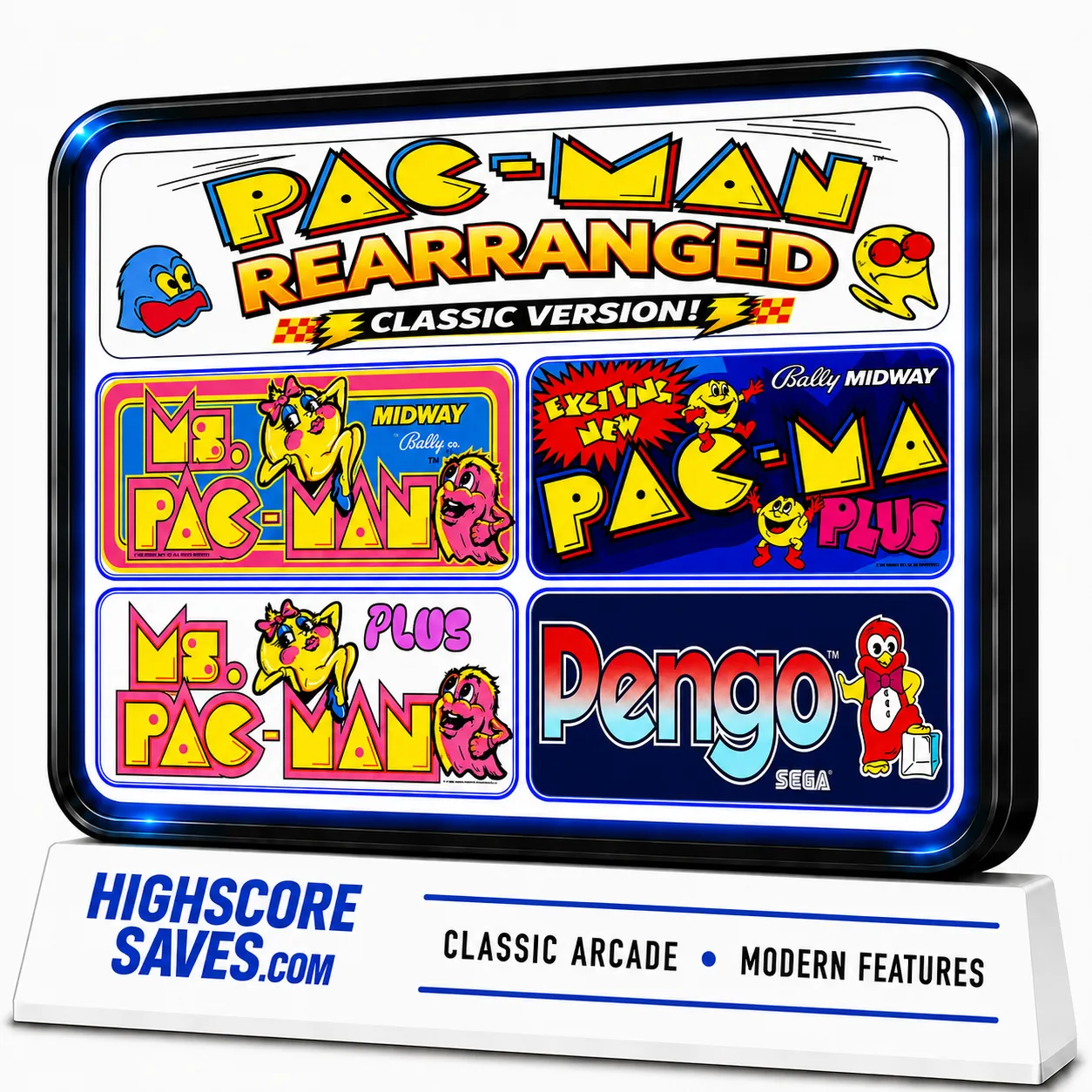
Customize Your Pacman | Ms Pacman Multi Game Free Play and High Score Save Kit Build your kit exactly how you want it. Choose a Wi-Fi Enabled Kit or a Standard Save Kit. You can also add a processor and/or a 40-pin socket — optional but recommended for easy installation. Learn More About This Kit Click a button to view details, tips, or the installation guide. Features Easy install — No soldering, board modifications, or special wiring. Plug in and go. Save your scores forever — Uses reliable serial EPROM (not NVRAM or batteries). High Score Save — Saves the Top 10 scores with initials. Attract Sounds — Adjustable to 25%, 50%, or every attract screen. Freeplay — No more coins or opening the coin door. Coin Up — Still supports coins if desired. Attract Mode — Prevents static burn-in on screens. Copyright options — Show original Midway logos or the HighScoreSaves logo. Menu-driven DIP settings — Change DIP switches without opening the cabinet. ROM Saver — Original program ROMs must be removed with this kit installed. Cabinet support — Works in Upright, Cabaret, or Cocktail cabinets. Ships with latest v1.09e version — The best Pac Multi yet! Additional Features Backup & Restore — Back up and reload your scores, great for parties. Fast or Original versions — Play either mode. Extended scoring — Supports up to 9,999,990 points (7-digit saves, no rollover). Separate high score tables — Maintains separate tables for Fast and Original play. Stealth Mode — Choose what game the kit boots to. Enable/disable submenus to restrict guest access. Game select menu included. Option to play Inky and Pinky with original Pac bug behavior or fixed AI. Turn off the “kill screen” to continue past level 255. Switch ghost names from original to alternates. Start at Level 1, Apple level, Key level, or directly at 255 to see the kill screen. Pengo! — Playable using P1 button, no control panel mods required. Important Ensure your Z80 is socketed. If not, install a 40-pin socket for compatibility. Read the installation guide before starting — Pac-Man | Ms. Pac-Man Multigame Installation Guide (PDF) . Compatible PCBs — Works with Pac-Man, Ms. Pac-Man, and Pac-Man Plus boards. Changes color PROMs: Pac-Man Plus, Ms. Pac-Man Plus, and Pengo will have original colors and sounds. New RAM Test (v1.09+) — DIP 1 and 2 OFF triggers an automatic RAM diagnostic at startup; DIP 1/2 ON disables the loop test. Game List Fast Versions Pac-Man Ms. Pac-Man Pac-Man Plus Ms. Pac-Man Plus Original Versions Pac-Man Ms. Pac-Man Pac-Man Plus Ms. Pac-Man Plus Pengo V3 Pengo V2 Just the FAQ's Which PCBs are compatible? Original Pac-Man, Ms. Pac-Man, and Pac-Man Plus boards. Do I need to remove the original program ROMs? Yes. With ROM Saver enabled, original program ROMs must be removed. How many scores are saved? The kit saves the Top 10 scores with initials and maintains separate tables for Fast and Original modes. Does it support Freeplay and coins? Yes. Enable Freeplay or keep Coin Up active—your choice. Can I bypass the kill screen? Yes. You can disable the kill screen and continue past level 255. What’s included in v1.09e? v1.09e includes the latest RAM test, extended scoring, and refinements to the multigame menu and options. Is Pengo included and how is it controlled? Yes, Pengo is included and is playable using the P1 button—no control panel mods required. Can I change ghost AI and names? Yes. Toggle original Pac bug behavior vs fixed AI, and switch between original and alternate ghost names. Will colors/sounds be correct on Plus and Pengo? Yes. Color PROMs are handled so Pac-Man Plus, Ms. Pac-Man Plus, and Pengo use original colors and sounds. Where is the installation guide? Right here: Pac-Man | Ms. Pac-Man Multigame Installation Guide (PDF) .
Average rating of 5 out of 5 stars
Customize Your Burgertime Free Play and High Score Save Kit Build your kit exactly how you want it. Choose a Wi-Fi Enabled Kit or a Standard Save Kit. You can also add a processor and/or a 40-pin socket—optional but recommended for easy installation. Learn More About This Kit Click a button to view details, tips, or the installation guide. Main Features Easy install: No soldering, board modifications, or special wiring—just plug in and go. This kit installs between your ribbon cables, no need to remove the processor. Permanent score saving: Uses serial EEPROM (not failure-prone NVRAM or batteries). High Score Save: Saves the Top 5 scores. Attract sounds: Hear what you’ve been missing. Freeplay & Coin-Up: Play without coins or keep quarters/tokens enabled. Attract mode: Helps minimize screen burn by avoiding static screens. Menu-driven DIP settings: Change options on-screen—no cabinet digging required. ROM Saver: Optionally remove original program ROMs; the program runs on the kit. Cabinet compatibility: Works in Upright and Cocktail cabinets. Additional Features Backup & Restore: Back up high scores and restore later—great for game-room parties. Reset button: Restart a game without powering off (enable in menu). Separate score tables: Different high-score tables by lives (2/3/4/5 lives). Fast boot: No waiting for initialization. Stealth Mode: Boots straight into the game. Important Installation Notes Read the Burgertime Free Play and High Score Save Kit Installation Guide / Manual (PDF) before setup. Connector check: Verify your connectors match the PCB shown in the guide. Ribbon cables: Some ribbon cables have a notch that may need to be filed off to fit. Just the FAQ's How many scores are saved? The kit saves the Top 5 high scores. Does it support Freeplay and coin operation? Yes. You can use Freeplay or keep coin-up enabled. Can I change DIP settings without opening the cabinet? Yes. All settings are menu-driven via the on-screen interface. What is Stealth Mode? Stealth Mode lets the kit boot straight into the game without showing extra menus. Does it have separate score tables? Yes. It maintains separate score tables for 2, 3, 4, or 5 lives. What is ROM Saver? The kit allows you to remove original program ROMs, as the program runs on the save kit to reduce power draw. Where can I download the Installation Guide? Download it here: Download the Burgertime Free Play and High Score Save Kit Setup Instructions / Installation Manual (PDF) . Are there connector requirements? Yes. Check that your connectors match the PCB shown in the guide. Some ribbon cables may require filing the notch to fit properly. Resources Burgertime Free Play and High Score Save Kit — Installation Guide / Manual (PDF) HighScoreSaves YouTube Channel — Installation Tips HighScoreSaves Facebook Page HighScoreSaves Reddit Community
Atari AVG Custom Chip Replacement The Atari AVG custom chip serves as a direct substitute for the original Atari AVG (Part Number: 137179-001). Designed as a Gate Array/Address Controller, this updated version replaces the discontinued DIP package, ensuring continued support for classic Atari hardware.
Customize Your Silk Worm Free Play and High Score Save Kit Build your kit exactly how you want it. Choose a Wi-Fi Enabled Kit or a Standard Save Kit. You can also add a processor and/or a 40-pin socket—optional but recommended for easy installation. Learn More About This Kit Click a button to view details, tips, or the installation guide: Features Easy install – No soldering, board modifications, or special wiring. Plug in and go! Save your scores forever – Uses reliable serial EEPROM (not failure-prone NVRAM or batteries). High Score Save – Saves the Top 10 scores and initials. Copyright – Switch the attract-screen logo between the original manufacturer and Highscoresaves. Freeplay – No more coins or opening the coin door. Coin Up – Still supports coins if desired. Attract Sounds – Hear what you’ve been missing! Set to 25%, 50%, or 100% of the attract rotation. Attract Mode – Minimizes screen burn by avoiding static screens. On-screen DIP settings – Menu-driven; no cabinet pulling to flip dip switches. ROM Saver – Remove original program ROMs if desired to save power; program is on the save kit. Cabinet support – Works in Upright and Cocktail cabinets. Additional Features Backup and Restore – Back up high scores and restore later (perfect before/after game-room parties!). Separate score tables – Different high-score tables per life setting (2–4 lives). God Mode – Play without game over (scores won’t save in this mode). Flip Screen – Rotate the screen 180°. “Stealth Mode” – Access the menu by holding Player 1 while powering on. Important Ensure your Z80 is socketed. If not, install a 40-pin socket for the kit to work. Read the Rush’n Attack | Green Beret Installation Guide (PDF) before you begin the install. Just the FAQ's Does this kit require soldering? No, this kit is completely plug-and-play. No soldering or board mods are required. How many high scores does it save? The kit saves the Top 10 scores with initials permanently. Can I still use coins if Freeplay is enabled? Yes. Freeplay mode is supported, but Coin Up still works if you want to accept coins. Does this kit support 2 player mode? Yes. however only on coin play, not free play. What is “God Mode”? God Mode gives you unlimited lives for practice or fun. Note: scores are not saved in this mode. Where can I download the installation guide? You can download it here: Rush’n Attack | Green Beret Installation Guide (PDF).
Customize Your Rygar Free Play and High Score Save Kit Build your kit exactly how you want it. Choose a Wi-Fi Enabled Kit or a Standard Save Kit. You can also add a processor and/or a 40-pin socket—optional but recommended for easy installation. Learn More About This Kit Click a button to view details, tips, or the installation guide: Features Easy install – No soldering, board modifications, or special wiring. Plug in and go! Save your scores forever – Uses reliable serial EEPROM (not failure-prone NVRAM or batteries). High Score Save – Saves the Top 10 scores and initials. Copyright – Switch the attract-screen logo between the original manufacturer and Highscoresaves. Freeplay – No more coins or opening the coin door. Coin Up – Still supports coins if desired. Attract Sounds – Hear what you’ve been missing! Set to 25%, 50%, or 100% of the attract rotation. Attract Mode – Minimizes screen burn by avoiding static screens. On-screen DIP settings – Menu-driven; no cabinet pulling to flip dip switches. ROM Saver – Remove original program ROMs if desired to save power; program is on the save kit. Cabinet support – Works in Upright and Cocktail cabinets. Additional Features Backup and Restore – Back up high scores and restore later (perfect before/after game-room parties!). Separate score tables – Different high-score tables per life setting (2–4 lives). God Mode – Play without game over (scores won’t save in this mode). “Stealth Mode” – Access the menu by holding Player 1 while powering on. Important Ensure your Z80 is socketed. If not, install a 40-pin socket for the kit to work. Read the Rygar Installation Guide (PDF) before you begin the install. Just the FAQ's Does this kit require soldering? No, this kit is completely plug-and-play. No soldering or board mods are required. How many high scores does it save? The kit saves the Top 10 scores with initials permanently. Can I still use coins if Freeplay is enabled? Yes. Freeplay mode is supported, but Coin Up still works if you want to accept coins. Does this kit support 2 player mode? Yes. However, on free play, the second player cannot "join in" unless both start at beginning of the game. What is “God Mode”? God Mode gives you unlimited lives for practice or fun. Note: scores are not saved in this mode. Where can I download the installation guide? You can download it here: Rygar Installation Guide (PDF).
Star Wars / Empire Strikes Back 12K VRAM Upgrade The Star Wars / Empire Strikes Back 12K VRAM Upgrade is a reliable, plug-and-play solution that replaces the six 2K × 8 VRAM SRAM chips on your Atari Star Wars vector PCB. This modern upgrade reduces failure points, improves long-term reliability, and keeps your classic game running smoothly for years to come. Features · Compatibility · Installation Notes · FAQ Key Features Drop-in module replaces six 2K×8 VRAM SRAMs (12K total). Plug-and-play on socketed boards—no ROM or wiring changes. Modern components improve stability and longevity. Reduces heat and common failure points in the VRAM section. Compatibility Atari Star Wars (1983) and The Empire Strikes Back (1985) vector arcade PCBs/cabinets using the standard 12K VRAM section. Installation Notes Power off and discharge the cabinet before service; observe ESD precautions. Align the module with the VRAM positions and press firmly into the sockets. No soldering required if your original VRAM chips are socketed; if not, sockets must be installed by a qualified technician. FAQ Do I need to modify the board? No. On socketed boards the module drops in—no wiring or ROM changes. Will this change gameplay or graphics? No. It’s a reliability upgrade only; gameplay and timing remain original. What issues does this address? Replaces six aging VRAM chips that commonly cause intermittent video faults, instability, or no-boot conditions.
A NEW Beautiful Blank Reproduction Control Panel for your classic arcade game! This is a direct replacement for a dedicated upright control panel. Without and holes drilled (so you can make your own custom button layout!) This is the metal control panel only – no buttons, wiring or wood is included. If your panel had any of the above, just transfer parts over from your existing control panel to this one.No CPO is included. See picture gallery. The is an identical replica of the original.