
Radarscope Free Play and High Score Save Kit




$74.50
Available, delivery time: 2-5 days
Product information "Radarscope Free Play and High Score Save Kit"
Customize Your Radarscope Free Play and High Score Save Kit
Build your kit exactly how you want it. Choose a Wi-Fi Enabled Kit or a Standard Save Kit. You can also add a processor and/or a 40-pin socket—optional but recommended for easy installation.
Learn More About This Kit
Click a button to view details, tips, or the installation guide.



Main Features
- Easy install: No soldering, board modifications, or special wiring—plug in and go.
- Save your scores forever: Uses a serial EEPROM (not failure-prone NVRAM or batteries).
- High Score Save: Stores the Top 5 scores with initials.
- Initial entry: Enter up to 8 characters.
- Free Play: Start games without coins or opening the coin door.
- Coin Up: Coins/tokens still supported if desired.
- Attract mode: Reduce screen burn—no more static screens.
- Menu-driven DIP settings: Change settings on-screen—no cabinet pull-out.
- ROM Saver: Optionally remove original program ROMs to save power.
- Cabinet support: Works in upright or cocktail cabinets.
Additional Features
- Backup & restore: Back up high scores and restore later—ideal before/after parties.
Important Installation Notes
- Ensure your Z80 is socketed. If not, install a 40-pin socket for the kit to work.
- Read the installation guide (PDF) before installing.
FAQ
Do I need to solder anything?
No, this kit is plug-and-play. No soldering or board modifications required.
Does it save high scores permanently?
Yes, scores are stored in EEPROM and don’t need batteries.
How many scores are saved?
The kit saves the Top 5 scores with initials.
Does it allow initials entry?
Yes, you can enter up to 8 characters for initials.
Can I enable Free Play?
Yes, Free Play is supported so you don’t need to use coins.
Does it support Coin Up mode?
Yes, coins and tokens are still supported if desired.
Does it help reduce screen burn-in?
Yes, attract mode reduces static screens and prevents burn-in.
How do I change DIP settings?
All DIP switch options are menu-driven on-screen—no need to open the cabinet.
Will it work in all cabinets?
Yes, it works in both upright and cocktail cabinets.
Where can I download the installation guide?


Login
Level up with these!
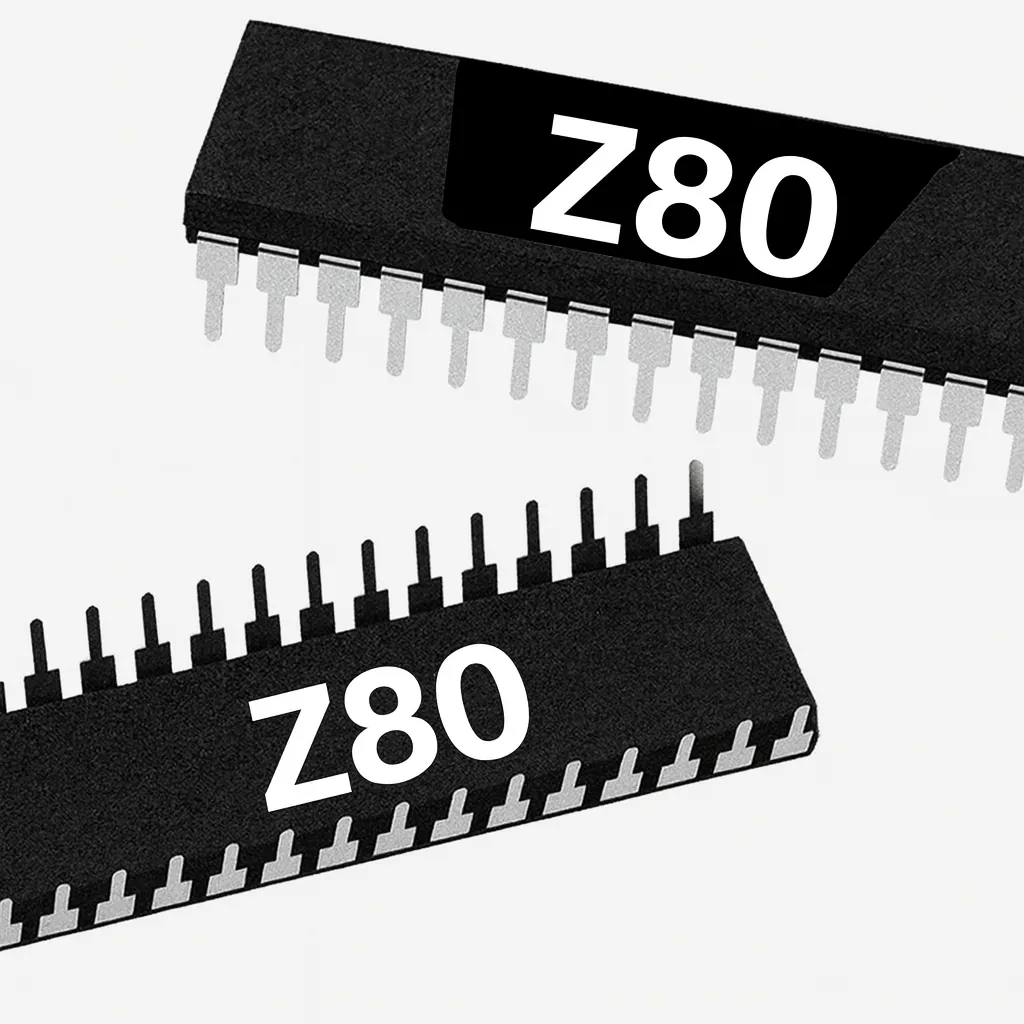
Z80 8-Bit Microprocessor (40-Pin CPU) The Z80 is an 8-bit microprocessor widely used in classic arcade PCBs. This 40-pin CPU handles core game logic and timing and is essential to reliable board operation. Used In Arcade Games Such As Donkey Kong Galaga Donkey Kong Jr. Frogger Galaxian Dig Dug Xevious …and more! *Brands may vary.
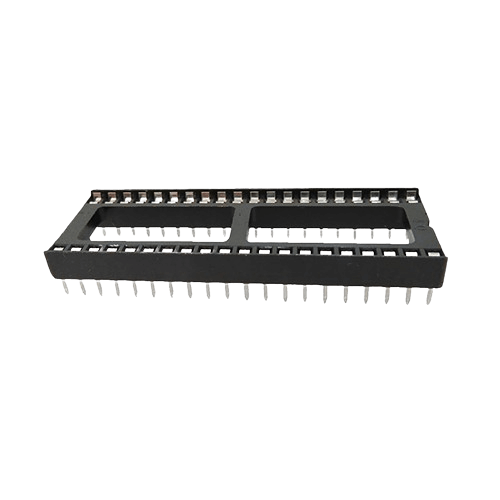
40 pin Socket Specifications Pitch: 2.54 mm (0.100″) Pins: 40 (2×20) Mounting: Through-hole (THT)
Spark your interest -

Customize Your Galaga Free Play and High Score Save Kit Build your kit exactly how you want it. Choose a Wi-Fi Enabled Kit or a Standard Save Kit. You can also add a processor and/or a 40-pin socket—optional but recommended for easy installation. Learn More About This Kit Click a button to view details, tips, or the installation guide. Main Features Easy installation: No soldering or modifications required—plug in and go. Permanent score saving: Uses a serial EPROM, not failure-prone NVRAM or batteries. High Score Save: Saves the Top 5 scores. Real attract sounds: Off, 25%, 50%, or 100% of the attract cycle. Full attract audio: Set attract to 100% to hear the entire sound rotation. Freeplay: No coins required; Coin Up still supported. Attract mode screen saver: Reduces monitor burn-in. Menu-driven DIP settings: No need to access the PCB. ROM Saver: Remove original program ROMs to reduce power and heat. Cabinet compatibility: Works in Upright or Cocktail cabinets. Additional Features Backup & Restore: Save and restore high scores. Separate score tables: Individual tables for 2, 3, 4, or 5 lives. Wide PCB compatibility: Works on Midway, Namco, and many clone boards. Attract logo choice: Switch between Midway, Namco, or HighScoreSaves. Auto fire option: Toggle via game menu. Extended scoring: Supports 8-digit scoring (up to 99,999,990). Level 255 fix: Allows level progression beyond 255. Four shooting speeds: Normal, Slow, Fast, Fastest. Important Installation Notes Socketed Z80 required: If yours is not socketed, install a 40-pin socket. Read the Galaga Free Play and High Score Save Kit Installation Guide (PDF) before setup. FAQ Which PCBs are supported? This kit supports Midway, Namco, and many clone Galaga PCBs. How many scores are saved? The kit saves the Top 5 high scores, with Backup & Restore options. Does it support Freeplay and Coin-Up? Yes—run in Freeplay or keep Coin Up active. Are attract sounds adjustable? Yes: Off, 25%, 50%, or 100% of attract rotation. What advanced features are included? Includes Auto Fire, Extended Scoring, Level 255 Fix, and multi-speed firing modes. Where can I download the installation guide? Galaga Installation Guide (PDF) Resources Galaga Free Play and High Score Save Kit — Installation Guide (PDF) HighScoreSaves YouTube Channel — Installation Tips HighScoreSaves Facebook Page HighScoreSaves eBay Store

Customize Your Ladybug Free Play and High Score Save Kit Build your kit exactly how you want it. Choose a Wi-Fi Enabled Kit or a Standard Save Kit. You can also add a processor and/or a 40-pin socket — optional but recommended for easy installation. Learn More About This Kit Click a button to view details, tips, or the installation guide. Features Easy install — No soldering, board modifications, or special wiring. Plug in and go. Save your scores forever — Uses reliable serial EPROM (not failure-prone NVRAM or batteries). High Score Save — Saves the Top 9 scores. Initial entry — Choose 3 or 10 characters (selectable in on-screen menu). Attract Sounds — Adjustable at 25%, 50%, or 100% of attract screen rotations. Freeplay — No more coins required. Coin Up — Still supports coin play if desired. Attract Mode — Prevents screen burn from static screens. Menu-driven DIP settings — Change DIP switches without opening your cabinet. ROM Saver — Optionally remove program ROMs to save power. Cabinet support — Compatible with Upright or Cocktail cabinets. Additional Features Backup & Restore — Save and restore high scores; great for before/after parties. Separate score tables — Saves independently for different lives settings (2, 3, or 4). Reset Button — Restart a game without powering down (enable via menu). Important Ensure your Z80 is socketed. If not, install a 40-pin socket. Read the installation guide (PDF) before setup. Just the FAQ's Do I need to send in my PCB to install this kit? No, this is a DIY plug-in kit. Installation usually takes less than 15 minutes. Does the Ladybug kit require soldering? No soldering is required, but your Z80 CPU must be socketed. How many high scores can be saved? The kit saves the Top 9 scores with initials, plus backup & restore support. Can I switch between Free Play and Coin Mode? Yes, the kit allows toggling between Free Play or traditional coin play. Does this work in Cocktail cabinets? Yes, the kit supports both Upright and Cocktail style cabinets. Where can I get the installation guide? You can download it here: Ladybug Installation Guide (PDF) Resources Ladybug — Installation Guide (PDF) HighScoreSaves YouTube Channel — Installation Tips HighScoreSaves Facebook Page HighScoreSaves eBay Store

Customize Your Pooyan Free Play and High Score Save Kit Build your kit exactly how you want it. Choose a Wi-Fi Enabled Kit or a Standard Save Kit. You can also add a processor and/or a 40-pin socket—optional but recommended for easy installation. Learn More About This Kit Click a button to view details, tips, or the installation guide. Main Features Easy install: No soldering, board modifications, or special wiring—plug in and go. Save your scores forever: Uses serial EEPROM (not failure-prone NVRAM or batteries). High Score Save: Saves the Top 10 scores with initials. Attract sounds: Enable at 25%, 50%, or 100% of attract-screen rotations. Free Play: Start games without coins or opening the coin door. Coin Up: Coins/tokens still supported if desired. Attract mode: Reduce screen burn—no more static screens. Menu-driven DIP settings: Change settings on-screen—no cabinet pull-out. ROM Saver: Optionally remove original program ROMs to save power. Cabinet support: Works in upright or cocktail cabinets. Additional Features Backup & restore: Back up high scores and restore later—ideal before/after parties. Separate score tables: Different tables for 2, 3, or 4 lives. Reset button: Restart a game without powering off (enable in menu). Important Installation Notes Ensure your Z80 is socketed. If not, install a 40-pin socket for the kit to work. Use a standard Z80: Some PCBs use an encrypted Z80 that will not work with this save kit. Read the Pooyan Free Play and High Score Save Kit Installation Guide (PDF) before installing. FAQ Do I need to solder anything?No, this kit is plug-and-play. No soldering or board modifications required. Does it save high scores permanently?Yes, scores are stored in EEPROM and do not require batteries. How many high scores does it save?The kit saves the Top 10 scores with initials. Does it support attract sounds?Yes—25%, 50%, or 100% frequency settings. Can I use Free Play and coins?Yes—supports both Free Play and Coin Up modes. Will it work in all cabinet types?Yes—compatible with upright and cocktail cabinets. Can I back up and restore scores?Yes—perfect for before or after events. Does it save different score tables?Yes—separate tables for 2, 3, or 4 lives. What CPUs are compatible?You must use a standard Z80. Encrypted Z80 CPUs will not work. Where can I download the installation guide? Pooyan Installation Guide (PDF) Resources Pooyan Free Play and High Score Save Kit — Installation Guide (PDF) HighScoreSaves YouTube Channel — Installation Tips HighScoreSaves Facebook Page HighScoreSaves eBay Store

Customize Your Pengo Free Play and High Score Save Kit Build your kit exactly how you want it. Choose a Wi-Fi Enabled Kit or a Standard Save Kit. You can also add a processor and/or a 40-pin socket—optional but recommended for easy installation. Learn More About This Kit Click a button to view details, tips, or the installation guide. Main Features Easy install: No soldering, board modifications, or special wiring—plug in and go. Save your scores forever: Uses a serial EEPROM (not failure-prone NVRAM or batteries). High Score Save: Stores the Top 5 scores with initials. Attract sounds: Enable at 25%, 50%, or 100% of attract-screen rotations. Free Play: Start games without coins or opening the coin door. Coin Up: Coins/tokens still supported if desired. Attract mode: Reduce screen burn—no more static screens. Menu-driven DIP settings: Change settings on-screen—no cabinet pull-out. ROM Saver: Optionally remove original program ROMs to save power. Cabinet support: Works in upright or cocktail cabinets. Additional Features Backup & restore: Back up high scores and restore later—ideal before/after parties. Separate score tables: Different tables for chosen lives (2, 3, or 4). Reset button: Restart a game without powering off (enable in menu). Important Installation Notes Ensure your Z80 is socketed. If not, install a 40-pin socket for the kit to work. Use a standard Z80: Some PCBs use an encrypted Z80 that is not compatible with this save kit. Read the installation guide (PDF) before installing. Game List Pengo FAQ Do I need to solder anything?No, the kit is plug-and-play. No soldering or board modifications required. Does it save my high scores permanently?Yes, scores are stored on EEPROM and don’t need batteries. How many high scores does it save?The kit saves the Top 5 scores with initials. Does it support attract sounds?Yes, you can enable attract sounds at 25%, 50%, or 100% frequency. Can I use Free Play and coins?Yes, the kit supports both Free Play and Coin Up modes. Does it work in all cabinet types?Yes, it works in upright and cocktail cabinets. Can I back up and restore scores?Yes, you can back up scores and restore them later, perfect for before/after parties. Does it provide separate score tables?Yes, you can save distinct tables for different life settings (2, 3, or 4 lives). What CPUs are compatible?You must use a standard Z80. Encrypted Z80 CPUs are not supported. Where can I download the installation guide? You can download it here: Pengo Installation Guide (PDF) Resources Pengo Free Play and High Score Save Kit — Installation Guide (PDF) HighScoreSaves YouTube Channel — Installation Tips HighScoreSaves Facebook Page HighScoreSaves eBay Store