
vs Nintendo Unisystem Multigame Kit



$344.00
Product information "vs Nintendo Unisystem Multigame Kit"
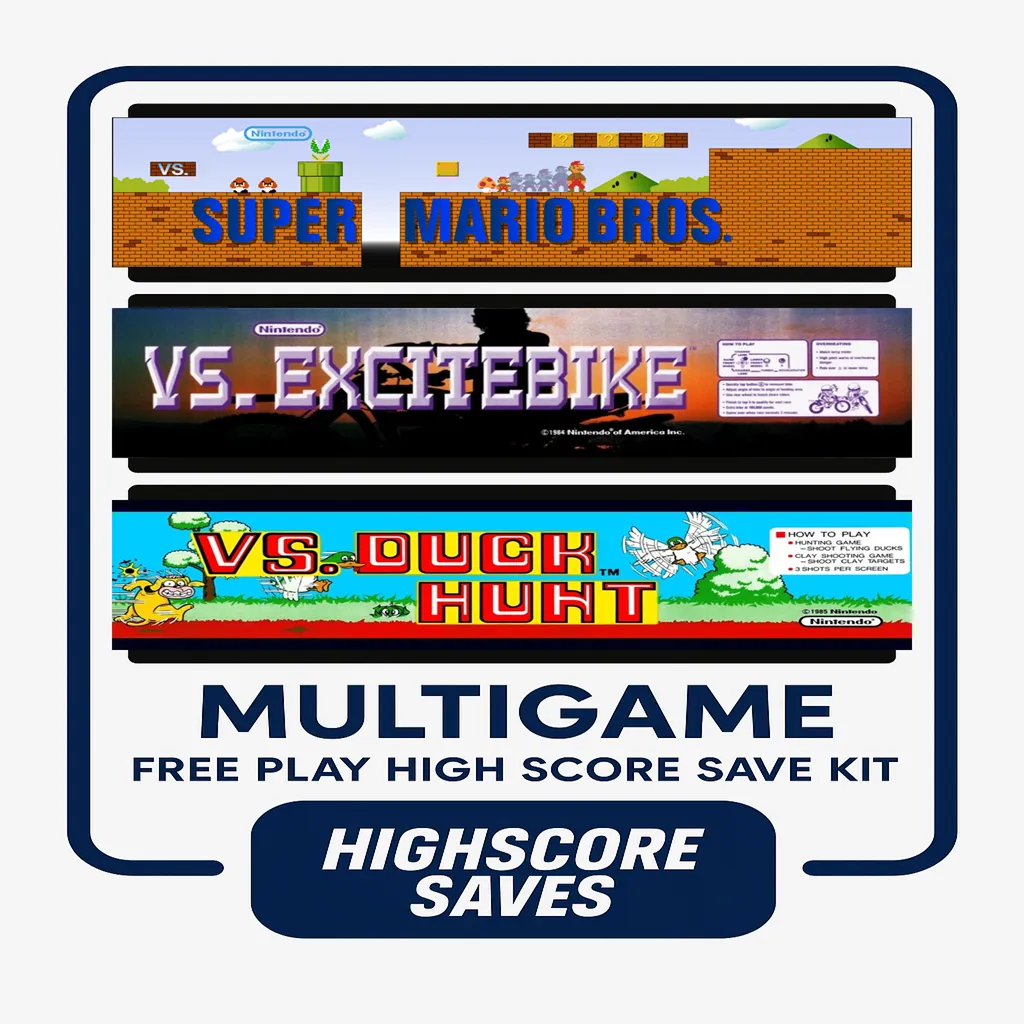
The wait is finally over — the VS Unisystem Multigame Kit has arrived!
This latest-generation Multi VS kit comes packed with fresh upgrades and some seriously cool new features. Out of the box, you’ll get one daughter card that lets you enjoy 8 classic VS titles right on your system.
Want even more? You can expand your setup by adding a second daughter card to the opposite side of the PCB (available for a small additional cost). Just remember: both sides of your PCB must have a PPU and CPU installed, as these components are not included in the kit.

Features
- Able to change games from your control panel — Swap games by moving the joystick (left-side joystick) left/right while holding P2.
- Coin up — Hold P1 + Button A.
- Change the side of your board — No extra hardware needed. Hold P1 and move the joystick left for Side B or right for Side A.
- Use any VS-compatible gun — Original VS gun, HAPP 45 (no adapter), or NES Zapper (requires adapter).
Additional Information
- This kit includes the Game Pak matching your PPU. Game lists are shown below.
- Compatible with games that use the EPROM sockets on the Nintendo VS PCB.
- Allows removal of EPROMs so you can play up to 8 different games. Dual kits support up to 16.
- No additional EPROMs required when using this kit.
- You may order one or both sides. Two PPUs and two CPUs are required if using both sides.
- Plays all games within the Game Pak corresponding to your PPU.
- Designed for the upright VS Unisystem cabinet
Attention
- You must supply your own CPU and PPU.
- IMPORTANT — You will need two joysticks on the control panel, and the original gun plugs directly into the kit (if applicable).
- Gun games require the optional second daughter card.
- Your PPU determines your game list.
- Certain games (e.g., Tetris) require correct DIP switch color settings based on original hardware behavior.
How do I know what PPU I have?
Your PPU usually has a heat sink on it. A sample photo is included in the product gallery. Models include 0001, 0002, 0003, 0004, and 2C03B.
Which side of the board is what?
A labeled example photo is included in the gallery.
Game Paks
PPU 0001
- Standard — Mighty Bomb Jack, Pinball, Battle City, Excitebike, SMB, Skate Kid, Mach Rider, Tetris
- With Gun — Mighty Bomb Jack, Battle City, Excitebike, SMB, Mach Rider, Tetris, Hogan’s Alley, Duck Hunt
PPU 0002
- Standard — Mighty Bomb Jack, Excitebike, SMB, Slalom, Tetris, Battle City, Mach Rider, Golf
- With Gun — Mighty Bomb Jack, Battle City, Excitebike, SMB, Slalom, Tetris, Hogan’s Alley, Duck Hunt
PPU 0003
- Standard — Mighty Bomb Jack, Excitebike, SMB, Pinball, Tetris, Battle City, Skate Kid, Soccer
- With Gun — Mighty Bomb Jack, Battle City, Excitebike, SMB, Soccer, Tetris, Hogan’s Alley, Duck Hunt
PPU 0004
- Standard — Excitebike, SMB, Clu Clu Land, Tetris, Battle City, Skate Kid, Ice Climber, Pinball
- With Gun — Clu Clu Land, Ice Climber, Excitebike, SMB, Tetris, Mighty Bomb Jack, Hogan's Alley, Duck Hunt
PPU 2C03B
- Standard — Ninja Jajamaru Kun, Excitebike, SMB, Star Luster, Tetris, Battle City, Skate Kid, Mighty Bomb Jack
- With Gun — Ninja Jajamaru Kun, Excitebike, SMB, Star Luster, Tetris, Mighty Bomb Jack, Hogan's Alley, Duck Hunt
FAQ
Which cabinet is this kit for?
This kit is designed specifically for the VS Unisystem upright cabinet.
How many games can I play?
The kit allows you to play up to 8 games. Dual kits can support up to 16 games.
Do I need to provide my own CPU and PPU?
Yes. You will need to supply your own CPU and PPU for the kit to function.
Can I play gun games?
Yes — gun games are supported.
The original VS gun, HAPP 45, or an NES Zapper (adapter required) can all be used.
Note: Gun games are only available on the optional
second daughter card.
How do I swap between Side A and Side B?
Hold the P1 button and move the joystick left for Side B or right for Side A. No additional hardware is required.
Where can I download the installation guide?
Download here:
VS Unisystem Multigame Installation Guide (PDF)
Login
Cool Accessories
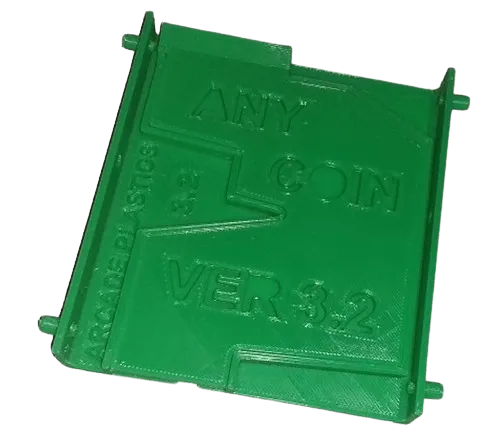
Any Coin Mech Designed as a direct drop-in replacement for coin mechanisms from Happ, Coinco, Imonex, and others. Features Drop-in replacement for existing arcade coin mechs. Accepts quarters, 0.984″ tokens, and dimes (no adjustments required). Engineered to reduce coin jams. Includes four plastic mounting pegs; will not rust. Made in the USA. For home arcade use. Compatibility Tested on arcade games from Atari, Bally/Midway, Gottlieb, Stern, Taito, Williams, Sega, and more.
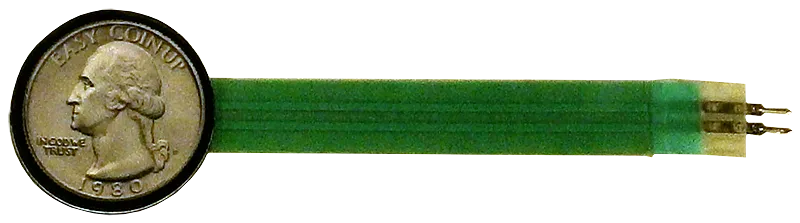
Easy CoinUp (E.C.U.) — Quarter-Style Coin-Up Switch It Just Makes Sense! We’ve all seen it: a loose switch dangling from the coin door, or a hole drilled in the cabinet just to add credits. Many games offer a Free Play mode, but some disable attract sounds or visuals—so passers-by never see or hear the game in action. Easy CoinUp fixes that. It’s a pushbutton that looks like a quarter, so everyone knows exactly what it does: add a credit. Installation is simple and causes no permanent damage beyond applying adhesive to the metal coin door. Installation Instructions (Quick & Easy) Peel the backing liner and apply the E.C.U. where you want it mounted. Wrap the “tail” around the coin door, pressing firmly so the adhesive bonds (industrial 3M 300LSE—once it sticks, it sticks). Peel the second liner and apply the “Quarter” overlay to the front of the switch. Solder two wires from the tail’s solder pads to the machine’s coin switch. The E.C.U. is a membrane SPST switch; your machine must expect a single circuit closure (typical for most arcade and pinball machines). Insulate the E.C.U. pins with electrical tape after soldering so they can’t touch grounded metal or other circuits. Note: Installation requires basic soldering. Tips & Tricks Thoroughly clean the mounting area; finish with rubbing alcohol and let it evaporate. Mount near the “Insert Coin” slots so players find it quickly. Avoid high-friction spots on the coin door; look for rubbed paint or scratches and choose a smoother area. If the conductive circuit in the tail is worn through, the switch will stop working—route and secure it thoughtfully. Keep out of reach of children—they may peel or try to swallow the parts.
Spark your interest -

VS Nintendo Red Tent | Dual Upright Multigame Kit The newest Multi VS kit—now upgraded with head-to-head play, 4-player support on compatible titles, on-panel game switching, and more. Key Features On-panel game switching — On the right side of the control panel, hold P4 and move the joystick Left/Right to swap games on that side. Coin Up shortcut — Hold P4 for ~5 seconds to coin up. Head-to-Head play — Play VS titles facing off across both sides. 4-player support (title-dependent) — Play games like Wrecking Crew, Balloon Fight, and Tennis head-to-head on Red Tent or Dual Upright. NES Zapper support — Use a Zapper gun with the optional Zapper Adapter. Independent resets — Reset either side without interrupting the other. EPROM-socket compatible — Designed for VS PCBs that use EPROM sockets. Up to 16 total games — 8 games per side (PPU/Game Pak dependent). Additional Information Your kit ships with a Game Pak for your specific PPU; see lists below. You can remove program EPROMs and play directly from the kit’s Game Pak titles. Tetris and Battle City require correct DIP palette settings on the original PCB. Important Compatible cabinets: VS Red Tent or VS Dual Screen Upright. Game list depends on your PPU — 0001, 0002, 0003, 0004, or 2C03B. Identify your PPU: look for a heatsink and a number printed on the chip (e.g., 0002). Read the installation guide: VS Red Tent / Dual Upright Multigame Installation Guide (PDF) Game Paks by PPU PPU 0001 Standard: Mighty Bomb Jack, Pinball, Battle City, Excitebike, SMB, Skate Kid, Mach Rider, Tetris With Gun: Mighty Bomb Jack, Battle City, Excitebike, SMB, Mach Rider, Tetris, Hogan’s Alley, Duck Hunt With Gun | Special “Head-to-Head”: SMB, Excitebike, Tetris, Wrecking Crew, Balloon Fight, Tennis, Hogan’s Alley, Duck Hunt Special “Head-to-Head”: SMB, Excitebike, Tetris, Mighty Bomb Jack, Battle City, Wrecking Crew, Balloon Fight, Tennis PPU 0002 Standard: Mighty Bomb Jack, Excitebike, SMB, Slalom, Tetris, Battle City, Mach Rider, Golf With Gun: Mighty Bomb Jack, Battle City, Excitebike, SMB, Slalom, Tetris, Hogan’s Alley, Duck Hunt With Gun | Special “Head-to-Head”: SMB, Excitebike, Tetris, Wrecking Crew, Balloon Fight, Tennis, Hogan’s Alley, Duck Hunt Special “Head-to-Head”: SMB, Excitebike, Tetris, Mighty Bomb Jack, Slalom, Wrecking Crew, Balloon Fight, Tennis PPU 0003 Standard: Mighty Bomb Jack, Excitebike, SMB, Pinball, Tetris, Battle City, Skate Kid, Soccer With Gun: Mighty Bomb Jack, Battle City, Excitebike, SMB, Soccer, Tetris, Hogan’s Alley, Duck Hunt With Gun | Special “Head-to-Head”: SMB, Excitebike, Tetris, Wrecking Crew, Balloon Fight, Tennis, Hogan’s Alley, Duck Hunt Special “Head-to-Head”: SMB, Excitebike, Tetris, Mighty Bomb Jack, Battle City, Wrecking Crew, Balloon Fight, Tennis PPU 0004 Standard: Excitebike, SMB, Clu Clu Land, Tetris, Battle City, Skate Kid, Ice Climber, Pinball With Gun: Clu Clu Land, Ice Climber, Excitebike, SMB, Tetris, Mighty Bomb Jack, Hogan’s Alley, Duck Hunt With Gun | Special “Head-to-Head”: Clu Clu Land, Ice Climber, Tetris, Wrecking Crew, Balloon Fight, Tennis, Hogan’s Alley, Duck Hunt Special “Head-to-Head”: SMB, Excitebike, Tetris, Clu Clu Land, Ice Climber, Wrecking Crew, Balloon Fight, Tennis PPU 2C03B Standard: Ninja Jajamaru Kun, Excitebike, SMB, Star Luster, Tetris, Battle City, Skate Kid, Mighty Bomb Jack With Gun: Ninja Jajamaru Kun, Excitebike, SMB, Star Luster, Tetris, Mighty Bomb Jack, Hogan’s Alley, Duck Hunt With Gun | Special “Head-to-Head”: Ninja Jajamaru Kun, Excitebike, SMB, Wrecking Crew, Balloon Fight, Tennis, Hogan’s Alley, Duck Hunt Special “Head-to-Head”: Ninja Jajamaru Kun, Excitebike, SMB, Tetris, Mighty Bomb Jack, Wrecking Crew, Balloon Fight, Tennis FAQ Which cabinets does this kit support? VS Red Tent and VS Dual Screen Upright only. What if I want to play Tennis, Balloon Fight or Wrecking Crew? You must select the “Head-to-Head” Game Paks for your PPUs. These enable 4-player and dual-screen support. How do I switch games? Hold P4 and move the joystick Left/Right to swap games on that side. How do I coin up quickly? Hold P4 for about 5 seconds. Does it support head-to-head and 4-player games? Yes—titles such as Wrecking Crew, Balloon Fight, and Tennis support head-to-head and some allow 4-player depending on configuration. Can I use a NES Zapper? Yes—using the optional Zapper Adapter. Check “With Gun” Game Paks for supported games. Do the two sides reset independently? Yes. You can reset one side without affecting the other. Why do some games require DIP color palette changes? Titles like Tetris and Battle City rely on original PCB palette DIP settings. This matches the real hardware behavior. How do I know which PPU I have? The PPU usually has a heatsink. Look for the number printed on the chip (0001–0004 or 2C03B). How many games can I install? Up to 16 total: 8 games per side depending on your Game Pak and PPU. Where can I download the installation guide? Download it here: VS Red Tent / Dual Upright Multigame Installation Guide (PDF)

Customize Your QBert Multigame Free Play and High Score Save Kit Build your kit exactly how you want it. Choose a Wi-Fi Enabled Kit or a Standard Save Kit. You can also add a processor and/or a 40-pin socket—optional but recommended for easy installation. Learn More About This Kit Click a button to view details, tips, or the installation guide. Multigame support for the entire Q*bert family, with menu or direct-boot options. Keep original gameplay while adding modern conveniences like Free Play, persistent high scores, attract sounds, and menu-driven DIP settings. Main Features Easy install: No soldering, board modifications, or special wiring—plug in and go. Boot options: Start at the Game Menu or boot directly into Qbert, Qubes, FHMC, Mello Yello, or 7-Eleven variants. Save your scores forever: EEPROM-based, no batteries needed. High Score Save: Qbert saves Top 23; Qubes saves Top 20 (or 20 Supreme Nosers Elite). Attract Sounds: Enable at 25%, 50%, or 100% of cycle. Free Play: No more coins—even Qubes supports Free Play. Coin Up: Supports standard token/coin mode. Attract Mode: Reduces burn-in by eliminating static screens. Menu-driven DIP settings: All DIP options accessible onscreen. ROM Saver: Remove original ROMs to reduce heat/power. Cabinet compatibility: Supports upright and cocktail (including Qubes cocktail). God Mode: Unlimited lives for practice (scores not saved). Copyright options: Choose Gottlieb or HighScoreSaves branding. Additional Features Backup & restore: Save/restore high-score tables—perfect before/after parties. Separate score tables: Individual tables for 2, 3, 4, or 5 lives. Qubes upgrades: Cocktail mode added; knocker enabled. Joystick initials entry: Use joystick Up for initials and level select. 7-Eleven bonus graphics: Unlocks unseen artwork. Included Games Qbert Qbert Qubes FHMC Qbert (Faster, Harder, More Challenging) Mello Yello Qbert 7-11 Qbert Important Installation Notes Socketed CPU required: Ensure your CPU is socketed before installing. Read the Q*bert Multigame Installation Guide (PDF) before installing. FAQ Do I need to solder anything?No soldering is required—completely plug-and-play. Does it save scores permanently?Yes—EEPROM saves scores without batteries. How many scores are saved?Qbert saves Top 23; Qubes saves Top 20 (or Supreme Nosers Elite). Can I use Free Play and coins?Yes—supports Free Play plus standard coin operation. Does it support attract sounds?Yes—adjustable between 25%, 50%, or 100% of attract cycles. What are the boot options?Boot to main menu or directly into any included game. Does it support backup and restore?Yes—backup and restore functions are included. What is God Mode?Unlimited lives for practice (scores do not save in this mode). Does it support cocktail cabinets?Yes—supports upright, cocktail, and Qubes cocktail. Where can I download the installation guide? Q*bert Multigame Installation Guide (PDF) Resources Q*bert Multigame Free Play & High Score Save Kit — Installation Guide (PDF) HighScoreSaves YouTube Channel — Installation Tips HighScoreSaves Facebook Page HighScoreSaves eBay Store

Customize Your Tron Multigame Free Play and High Score Save Kit Build your kit exactly how you want it. Choose a Wi-Fi Enabled Kit or a Standard Save Kit. You can also add a processor and/or a 40-pin socket—optional but recommended for easy installation. Learn More About This Kit Click a button to view details, tips, or the installation guide. Main Features Easy install: No soldering, board modifications, or special wiring. Plug in and go on your Tron PCB. 8-digit scoring: Score up to 99,999,999 — NO rollover at 999,999. Save your scores forever: Uses reliable serial EEPROM (not failure-prone NVRAM or batteries). High Score Save: Stores the Top 10 scores. Separate score tables: Individual high-score tables for each of the 4 game menus. Attract Sounds: Set to 25%, 50%, or 100%. Freeplay: No more coins or opening the coin door. Coin Up: Still supports coins if desired. Attract Mode: Minimizes screen burn by avoiding static screens. On-screen DIP settings: Menu-driven; no cabinet pull-out required. ROM Saver: Original program ROMs may be removed. Cabinet support: Works in Upright and Cabaret cabinets. Additional Features Backup & Restore: Save and restore scores — perfect before/after parties. Reset Button: Restart a game without power cycling. Latest ROM Revisions: Includes Tron 8/09 and latest Satan’s Hollow. Stealth Mode: Boot directly into last-played game or selected title. Satan’s Hollow shield options: Activate via Spinner, Up, Down, or Player 2 button (menu-selectable). Game List Tron Satan’s Hollow Important Installation Notes Socketed Z80 required: If your Z80 isn’t socketed, install a 40-pin socket for this kit to work. Read the Tron & Satan’s Hollow Multigame Installation Guide (PDF) before setup. FAQ Is installation plug-and-play?Yes. No soldering or board mods required — just ensure your Z80 is socketed. What’s the benefit of 8-digit scoring?Scores can reach 99,999,999 without rolling over at 999,999 — perfect for marathon players. Do Tron and Satan’s Hollow keep separate scores?Yes — each game has its own high-score table. Can I use Freeplay and still accept coins?Yes — Freeplay and Coin Up can be enabled simultaneously. Can I back up and restore high scores?Yes — Backup/Restore is built in. Can I choose which game it boots into?Yes — Stealth Mode lets you boot into last played or your selected title. Which cabinets are supported?Works in Upright and Cabaret TRON cabinets. What processor is required?A socketed Z80 CPU is required. Are latest ROM revisions included?Yes — includes Tron 8/09 and the latest Satan’s Hollow revisions. Where can I download the installation guide? Tron & Satan’s Hollow Multigame Installation Guide (PDF) Resources Tron Multigame — Installation Guide (PDF) HighScoreSaves YouTube Channel — Installation Tips HighScoreSaves Facebook Page HighScoreSaves eBay Store

Customize Your Scramble Multigame Free Play and High Score Save Kit Build your kit exactly how you want it. Choose a Wi-Fi Enabled Kit or a Standard Save Kit. You can also add a processor and/or a 40-pin socket—optional but recommended for easy installation. Learn More About This Kit Click a button to view details, tips, or the installation guide. Features Easy install – No soldering, board modifications, or special wiring. Plug in and go! Save your scores forever – Uses a serial EPROM, not failure-prone NVRAM or batteries. High Score Save – Saves the Top 10 scores with initials. Choose your game – Scramble, Super Cobra, Anteater, Frogger, Amidar, Armored Car, Turtles, and The End. Attract Sounds – Adjustable at 25%, 50%, or 100%. Freeplay – No more coins or opening the coin door. Coin Up – Still supports coins if desired. Attract Mode – Minimize screen burn with dynamic screens. Change DIP settings – Menu-driven; no need to open the cabinet. ROM Saver – Optionally remove original program ROMs to save power. Cabinet Support – Works in Upright cabinets. Additional Features Backup and Restore – Save and restore high scores (perfect before/after parties). Separate score tables – Different tables for 2, 3, or 4 lives settings. Reset Button – Restart a game without powering off (requires enabling in menu). Self-Test – Accessible via the main menu or by setting all PCB DIP switches OFF. Continue? – Enable or disable at will. God Mode – Unlimited lives (scores won’t save). Stealth Mode – Make the kit look stock at boot up. Fixed Inputs – Upright-only; Player 1 inputs used (no rewiring needed). Important Ensure your Z80 is socketed. If not, install a 40-pin socket for kit compatibility. Read the Scramble Multigame Installation Guide (PDF) before installing. Scramble – Extended scoring up to 9,999,990 points. Choose difficulty between Konami and Stern (Stern ROMs drain fuel faster). Frogger – Extended scoring up to 9,999,990 points; music bug fixed with improved tune. Known Differences – The End: bullets are dots; Frogger: blue street; Anteater: blue tunnels. Game List Scramble Super Cobra Anteater Frogger Amidar Armored Car Turtles The End FAQ Do I need to solder anything?No, this kit is plug-and-play. No soldering or board modifications required. Does it save scores permanently?Yes, high scores are stored in serial EPROM and don’t require batteries. How many scores are saved?The kit saves the Top 10 scores with initials for each game. Can I switch between games?Yes — select from Scramble, Super Cobra, Anteater, Frogger, Amidar, Armored Car, Turtles, or The End. Does it support attract sounds?Yes, adjustable at 25%, 50%, or 100%. Can I enable Freeplay?Yes — Freeplay is supported, but Coin Up can still be used. Does it support backup and restore?Yes, scores can be backed up and restored at any time. What special modes are included?God Mode, Stealth Mode, Continue option, and more. What are the known differences?The End: dot bullets; Frogger: blue street; Anteater: blue tunnels. Where can I download the installation guide? Scramble Multigame Installation Guide (PDF) Resources Scramble Multigame Free Play and High Score Save Kit — Installation Guide (PDF) HighScoreSaves YouTube Channel — Installation Tips HighScoreSaves Facebook Page HighScoreSaves eBay Store

Customize Your Jungle Hunt | Elevator Action | Taito Multigame Free Play and High Score Save Kit Build your kit exactly how you want it. Choose a Wi-Fi Enabled Kit or a Standard Save Kit. You can also add a processor and/or a 40-pin socket — optional but recommended for easy installation. Learn More About This Kit Click a button to view details, setup tips, or the installation guide. Main Features Easy installation: No soldering, board modifications, or special wiring. Plug in and play. Permanent high score saving: Uses serial EPROM, not failure-prone NVRAM or batteries. High Score Save: Stores the Top 5 scores with initials. Game selection: Choose from Elevator Action, Jungle King, Jungle Hunt, Pirate Pete, Time Tunnel, Space Seeker, and Seafighter Poseidon. Attract sounds: Adjustable at 25%, 50%, or 100%. Freeplay mode: No coins required, but still supports coin-up if desired. Attract mode screen saver: Reduces monitor burn-in. Menu-driven DIP switch settings: No need to pull out your board. ROM Saver: Remove original program ROMs to reduce power use. Cabinet support: Fully compatible with Upright cabinets. Additional Features Backup & restore: Perfect before and after parties. Separate score tables: Unique tables for 2, 3, or 4 lives. Reset button option: Restart a game without powering down. Accessible self-test: From menu or DIP switches. Continue feature: Enable or disable. God Mode: Unlimited lives (scores not saved). Stealth Mode: Boots to look stock. Important Installation Notes Socketed Z80 required: Install a 40-pin socket if not already present. Read the Jungle Hunt | Elevator Action | Taito Multigame Installation Guide (PDF) before setup. PCB compatibility: Works with Jungle Hunt and Elevator Action SJ-Taito PCBs. Game List Elevator Action Jungle King Jungle Hunt Pirate Pete Time Tunnel Space Seeker Seafighter Poseidon FAQ Which games are included? This multigame kit includes Elevator Action, Jungle King, Jungle Hunt, Pirate Pete, Time Tunnel, Space Seeker, and Seafighter Poseidon. How many scores are saved per game? Each game saves its own Top 5 scores. Does it support Freeplay and coin-up? Yes — use Freeplay or leave coin-up active. Can I change DIP settings on-screen? Yes — all DIP settings are menu-driven. What is ROM Saver? Allows removal of original ROMs to reduce heat/power. PCB compatibility? Compatible with original SJ Taito PCBs. How do attract sounds work? Play at 25%, 50%, or 100% of attract rotations. Continue mode & God Mode? Both are available (God Mode does not save scores). Self-test / reset? Self-test via menu or DIP switches; reset via menu. Where can I download the Installation Guide? Download here: Installation Guide (PDF). Resources Jungle Hunt | Elevator Action | Taito Multigame — Installation Guide (PDF) HighScoreSaves YouTube Channel — Installation Tips HighScoreSaves Facebook Page HighScoreSaves eBay Store