
Darksoft CPS2 Multigame Kit | Champion Edition


Product information "Darksoft CPS2 Multigame Kit | Champion Edition"
Darksoft CPS2 Multigame Kit — Champion Edition
Run supported Capcom CPS2 games on compatible original arcade hardware. The Darksoft CPS2 Champion Edition Multigame Kit installs onto a compatible original CPS2 B-board and operates with a matching original CPS2 A-board. Choose games with the included LCD selector, load them into flash memory, and keep the selected title stored after power-off until another is written. An already-batteryless donor B-board and a compatible FAT32 microSD card are required; neither is included.
Original CPS2 Uses compatible A- and B-boards |
Flash Memory Retains the loaded game |
LCD Game Selector Included with the kit |
Champion Edition No B-board jumpers or PAL swap |
Before You Order — CPS2 Compatibility
| Required hardware | Compatible original Capcom CPS2 A-board and already-batteryless B-board |
|---|---|
| Preferred B-boards | 93646B-5, 93646B-6, 93646B-7, 97691A-3 (factory CN9 key-writing connection) |
| Older B-boards | 93646B-3 and 93646B-4 are compatible; key writing requires four soldered connections at CN2 when needed |
| Key writing | For original unmodified game data, connect J18 to CN9 on supported boards or use documented J18-to-CN2 solder wiring on older boards |
| Installation | Remove only documented ROM devices; install multigame board assemblies, spacers, and bridging PCB with careful pin alignment. Soldering depends on B-board/key-writing method |
| microSD / games | Compatible FAT32 microSD card required, not included; prepare supported game folders using legally possessed game data |
What's Included
Darksoft CPS2 Champion Edition kit components:
- Champion Edition CPS2 multigame PCB assemblies (smaller and main boards)
- Required bridging PCB and bridging hardware
- Plastic PCB spacers
- LCD game selector
- Standard 14-pin LCD ribbon cable
- Connection hardware supplied for the documented installation, as shown in the current kit photos and PDF
Not included: Original CPS2 A-board/B-board, a compatible microSD card, and game data. Optional accessories, including the key-writing adapter cable, depend on the selections made near Add to Cart. Review your selected options to avoid duplicate purchases.
Optional CPS2 Accessories
Review the kit's Add to Cart dropdown options to include accessories with your Champion Edition order. The items below can also be viewed or purchased separately; check your chosen options before ordering extras. Select an image or name for details.
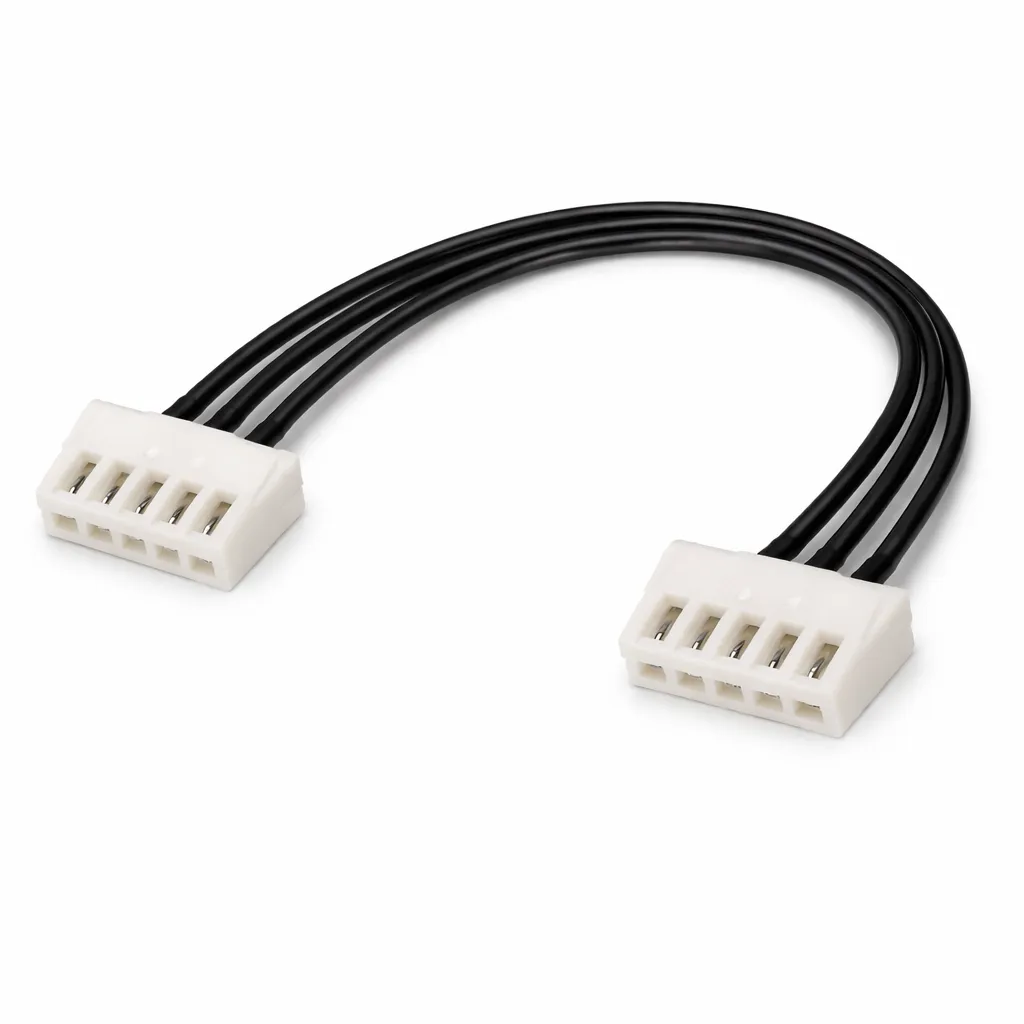 CPS2 Key-Writing Cable For supported B-board key-writing connections. |
 LCD Protector Helps protect and position the included LCD. |
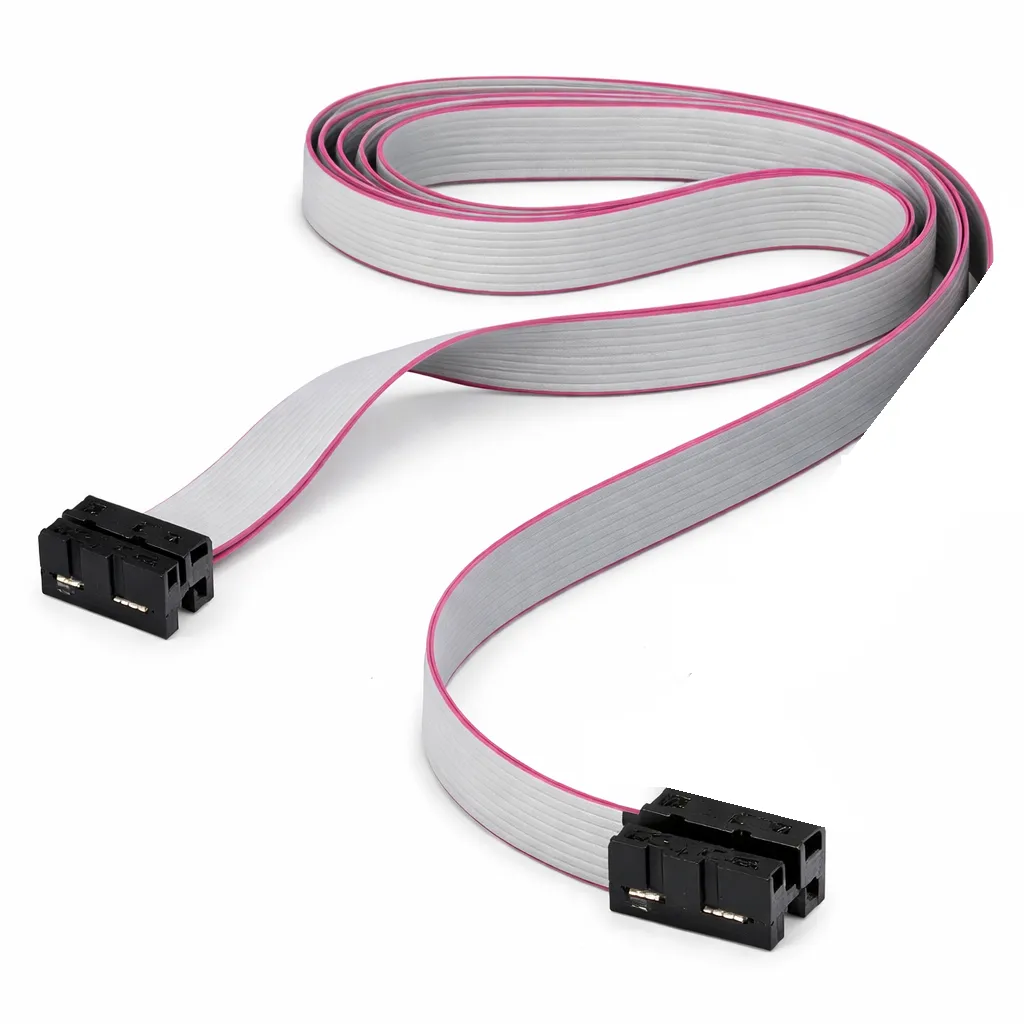 Long Flat LCD Cable Additional reach for LCD selector placement. |
Installation & Helpful Guides
Installation includes removing only the documented socketed ROM devices, seating the multigame and bridging PCBs in the correct orientation, fitting spacers, and connecting key writing when required for your chosen game data. Older B-board revisions may require soldering. Read the full Champion Edition installation PDF before handling the original hardware.
|
Identify Your Original CPS2 Arcade PCB
Confirm your A-board, donor B-board revision, and CN9/CN2 key-writing connection. |
|
View Darksoft CPS2 Champion Edition Installation Guide PDF
Documented ROM removal, PCB orientation, bridge alignment, key writing, and setup. |
Additional Technical Details
Open any section to review the installation details without overwhelming the main product page.
CPS2 B-Board Revisions & Key Writing
Required original hardware: A compatible CPS2 A-board and an already-batteryless original B-board. This is not an emulation system: supported games run on the original Capcom CPS2 platform.
Preferred CN9-equipped revisions: 93646B-5, 93646B-6, 93646B-7 and 97691A-3. These have the factory CN9 connector for the documented key-writing cable from multigame connector J18, without soldering the key-writing wires directly to the B-board.
Older revisions: 93646B-3 and 93646B-4 are compatible; when key writing is required, four wires must be soldered between the multigame PCB J18 connection and the B-board CN2 interface, as shown in the guide.
Game data and encryption: Compatible original unmodified CPS2 game data requires the correct key-writing connection. Without key writing, use compatible decrypted or patched game data. Use only games you are legally entitled to possess and operate.
Preparing the Donor CPS2 B-Board
1. Disconnect all power: Turn the arcade system off, disconnect it, and observe antistatic precautions before handling the boardset.
2. Open the B-board shell: Use the correct security Torx screwdriver for the original CPS2 enclosure. The documented Champion Edition installation does not require modifying the plastic shell.
3. Remove documented ROMs only: Remove the socketed EPROMs and Mask ROMs identified in the installation PDF. Leave specifically excluded ROMs, sockets, and components in place.
4. Inspect every socket: Check the original ROM sockets for contamination, damaged contacts or bent pins. Verify the B-board model and key-writing requirements before fitting the kit.
Champion Edition Installation & Pin Alignment
1. Install the smaller multigame PCB: Match all pins to the designated B-board sockets before gently pressing it into place.
2. Add spacers and main PCB: Fit the supplied plastic spacers and carefully align the larger PCB with every required connector and socket pin.
3. Fit the bridging PCB: Follow the installation guide's pictured orientation and confirm all bridging pins are fully seated. Forcing or reversing this board can prevent operation or damage hardware.
4. Connect key writing if needed: For original unmodified game data, connect J18 to CN9 on supported B-boards using the appropriate adapter, or follow the documented J18-to-CN2 four-wire solder method for older revisions.
Champion Edition improvements: No B-board jumper configuration, replacement PAL chip, or documented shell modification is required. Check every pin and connector before applying power.
microSD Card, LCD Selector & Flash Loading
Prepare the microSD: Supply a compatible genuine card, format it FAT32, and create the required games directory at the card root with supported game folders beneath it. The microSD card is not included.
macOS preparation: Remove hidden files and folders added to removable media, following the dot_clean procedure in the installation guide.
LCD game selector: Connect the included LCD with the 14-pin ribbon cable. Use the three buttons to browse and select prepared games. Adjust LCD contrast using the trim control on the main PCB when needed.
Flash memory: The selected title remains stored after power is removed until a different game is chosen and written. Avoid interrupting power or removing the microSD card while data is being written.
Troubleshooting & Technical Support
Before troubleshooting: Verify A-board/B-board compatibility, donor batteryless status, ROM removal locations, both multigame PCB seating positions, bridging PCB orientation, key-writing connection, FAT32 card structure, and LCD ribbon connection. Do not force or reseat boards while power is connected.
Follow the Darksoft CPS2 Champion Edition installation PDF for component placement and wiring details.
Additional community information is available from Arcade Projects — Capcom CPS2 Technical Forum.
Review the guide and contact HighScoreSaves or the support community before concluding that the multigame kit or another component is defective.
Shipping Information
Insurance and signature confirmation: Included with Darksoft kit shipments. Preparation time typically 1–3 business days; check the current processing information near Add to Cart.
U.S. shipping: $35.99 flat rate via USPS or UPS, depending on the package and destination. Two Darksoft multigame kits may ship together for the same flat-rate U.S. shipping charge.
International shipping: Expedited UPS international service. Recipient is responsible for duties, taxes, customs and brokerage fees. A telephone number is required.
HighScoreSaves cannot under-declare shipment value. Suggested tariff classification from the existing product information: 95049080 (subject to applicable customs classification).
Helpful Darksoft Resources
Darksoft CPS2 Hardware Compatibility Guide
Darksoft CPS2 Installation Accessories
Stay in the Game
New Darksoft releases, restocks, arcade hardware tips, technical updates, and occasional subscriber-only offers.
Join the NewsletterHighScoreSaves Newsletter
Login
1 review
January 10, 2026 2:28 AM
J Kramer
Bought a few of the Darksoft kits at the start of the year. Amazingly fast tracking provided and delivery was great. Kits were sent with signature required. Got them all installed and work great! Preordered the MVS coming out soon too! I'll be back for more (and tell all of my friends where to buy them at)
Thank you!