
Tapper Multigame Instruction Magnet


$6.50
Available, processing time: 2-5 days
Product information "Tapper Multigame Instruction Magnet"
Tapper Multigame Instruction Magnet
This magnet applies and removes easily. It adheres to any ferrous metal (steel control panels, coin doors, etc.). For non-metal surfaces, use double-sided mounting tape (not included).
Specifications
- Size: 3″ (L) × 2″ (W)
- Finish: Soft-laminated top
- Back: Strong magnetic backing
Login
Stick With This Kit

Upgrade Your Original Bally Midway Tapper or Timber Arcade PCB The HighScoreSaves Tapper | Timber | Root Beer Tapper Multigame Free Play and High Score Save Kit upgrades documented compatible original Bally Midway Tapper or Timber arcade hardware with four games: Tapper, Timber, Root Beer Tapper, and Simpsons Tapper. Save up to Top 10 high scores with initials! per supported game (with an optional Top 3 saving mode), enjoy Free Play and selectable attract sounds, and configure game startup, score tables, and cabinet-aware controls through the on-screen menu. Includes ROM Saver, Backup and Restore, Stealth Mode, and optional Wi-Fi leaderboards. Timber's player count depends on your cabinet's original controls. Free Play Play with or without coins High Score Saving Top 10 with initials! Attract Sounds Selectable in settings Optional Wi-Fi Upload scores to Personal and Global pages! Tapper | Timber PCB Compatibility at a Glance Compatible PCB Documented compatible original Bally Midway Tapper or Timber arcade PCB CPU location Original Z80 processor position on the compatible Tapper/Timber arcade hardware CPU socket Compatible 40-pin Z80 CPU socket required Installation Plug-in daughterboard when Z80 is socketed; cabinet-aware control mapping for Tapper and Timber layouts Cabinet support Documented compatible upright, cocktail, and cabaret configurations; Timber is one-player on Tapper controls but supports simultaneous two-player on a Timber cabinet Before you order: Verify a documented compatible original Bally Midway Tapper or Timber arcade PCB with a compatible Z80 CPU in a 40-pin socket. If the Z80 is soldered in, a qualified technician must install a compatible socket before fitting the kit. Cabinet controls matter: When playing Timber in a Tapper cabinet, only one player is supported; hold Tap + joystick left to chop left, or Tap + joystick right to chop right. In a Timber cabinet, Timber supports two players simultaneously. When playing Tapper in a Timber cabinet, use the Player 1 joystick; the left/right chop buttons act as Tap inputs. Follow the PDF for Pin 1 alignment and any optional ROM Saver removals. Four Games Included Tapper Classic Bally Midway bartender gameplay using the supported Tapper or Timber cabinet control mapping. Timber Lumberjack game. One player only on a Tapper cabinet (Tap + joystick left/right to chop); simultaneous two-player play on a Timber cabinet. Root Beer Tapper Root Beer Tapper variation with supported Tapper-style gameplay and cabinet-aware controls. Simpsons Tapper Simpsons-themed Tapper variation with alternate artwork, graphics, and presentation. Choose Your Tapper Multigame Kit Version Standard Kit Play Tapper, Timber, Root Beer Tapper, and Simpsons Tapper on documented compatible original Bally Midway Tapper or Timber hardware. Saves supported Top 10 high scores with initials! with an optional Top 3 score-saving mode and separate supported game/lives score tables. Includes Free Play, attract sounds, game selection, selectable boot game, menu lock, High Scores button, Stealth Mode, Reset, Backup and Restore, and optional ROM Saver. No internet connection required. Wi-Fi Enabled Kit Includes all Standard features and can submit qualifying high scores with initials to supported HighScoreSaves online leaderboards over a compatible 2.4 GHz Wi-Fi network. Includes the supported Global High Scores button. Scores and settings remain saved locally and gameplay continues if Wi-Fi is disabled or unavailable. What's Included Base kit: HighScoreSaves Tapper multigame Z80 daughterboard kit Installation & Helpful Guides Confirm your original Bally Midway Tapper or Timber PCB and 40-pin Z80 socket, and identify the cabinet's original control layout before installing. Check Pin 1 orientation, CPU pin alignment, daughterboard seating, and any documented ROM Saver steps. The video below demonstrates the settings menu, not physical installation. Identify Your Original Arcade PCB Verify your original Bally Midway Tapper or Timber hardware and control panel before ordering. View Tapper | Timber Multigame Installation Guide PDF Review the Z80 daughterboard installation, Pin 1 orientation, and optional ROM Saver steps. Watch Tapper Multigame Settings Menu Video See game selection, score settings, boot game selection, and other supported operator controls. Settings walkthrough—not a physical installation video. Additional Details & Resources Select any section below to see more details. Advanced Kit Features Top 10 / Optional Top 3 High Scores Saves up to Top 10 scores with initials! using battery-free serial EEPROM; optional Top 3 score-saving behavior can be selected. Game & Lives-Specific Tables Keeps supported individual game score tables and separate score tables for supported lives settings and menu configurations. Selectable Attract Sounds Configure supported attract sounds at 25%, 50%, or 100% of attract cycles. Cabinet-Aware Controls — Tapper to Timber When playing Timber in a Tapper cabinet, use Tap + joystick left/right to chop. Timber is limited to one player in this cabinet. Cabinet-Aware Controls — Timber to Tapper When playing Tapper in a Timber cabinet, use the Player 1 joystick; left/right chop buttons act as Tap inputs. Timber retains two-player simultaneous play in its original cabinet. Selectable Startup Game & Stealth Mode Choose Tapper, Timber, Root Beer Tapper, or Simpsons Tapper as the startup game, or load the last game played where supported. Menu Lock Helps prevent guests or accidental input from changing the operator settings. High Scores Button Quickly display saved score tables for the selected game using the supported control. Global High Scores Button (Wi-Fi) Access supported online leaderboard information using the Wi-Fi-enabled kit. Starting Lives & Bonus Thresholds Set supported starting lives and 10,000 / 20,000 / 40,000 / 80,000 bonus thresholds. Free Play & Coin-Up Play without inserting coins or retain regular coin/token operation where supported. Attract-Mode Protection Helps reduce prolonged static-screen display during attract operation. Reset Button Perform a supported soft restart without turning cabinet power off. High Score Backup & Restore Back up and restore supported score records for service, transport, events, or tournaments. ROM Saver Allows designated original program ROMs to be removed only as documented in the Tapper | Timber installation PDF. Copyright / Branding Selection Choose supported original Midway logos or HighScoreSaves branding. Upright, Cocktail & Cabaret Supports documented compatible cabinet configurations, subject to the control layout and player-count limitations listed above. Installation & Settings Access Switch games: During attract mode or gameplay, hold Player 1 Start until the screen freezes (approximately 4 seconds), then release to open the four-game selection menu. The kit also allows a supported selected startup game or last-played game in Stealth Mode. Settings access: With cabinet power off, hold Player 1 Start for about 4 seconds while powering on, then release when prompted. Configure game settings, score saving (Top 10 or optional Top 3), attract sounds, menu lock, starting lives and bonus thresholds. CPU installation: Verify the original Bally Midway Tapper or Timber PCB. Fit the compatible Z80 processor to the kit as documented, align Pin 1, and seat the daughterboard into the correct 40-pin Z80 socket. If soldered, have a qualified arcade technician fit a socket first. Confirm seating, socket condition, component clearance and any documented ROM Saver changes before restoring power. Timber on a Tapper cabinet: One-player only. Use Tap + joystick left to chop left, and Tap + joystick right to chop right. Tapper on a Timber cabinet: Use the Player 1 joystick, and use the left/right Timber chop controls as Tap inputs. On a Timber cabinet, Timber retains supported simultaneous two-player gameplay. Wi-Fi Setup & Global Scores The optional Wi-Fi version connects to a compatible 2.4 GHz Wi-Fi network to submit qualifying Tapper Multigame scores with initials!. Both the Top 10 default and optional Top 3 saving mode, game/lives-based score tables, and normal gameplay continue locally when Wi-Fi is disabled or unavailable. Use the supported Global High Scores control on Wi-Fi-enabled kits. Learn about HighScoreSaves Wi-Fi kits View Global Arcade High Scores Manuals, Schematics & More Tapper | Timber Multigame Installation Guide PDF Tapper Multigame Settings Menu Video How to Identify Your Original Arcade PCB How HighScoreSaves Kits Work on Original Arcade PCBs Stay in the Game New arcade kits, restocks, technical tips, and exclusive offers. Delivered to your inbox. Sign Me Up → HighScoreSaves Newsletter

Root Beer Tapper Arcade Reproduction Control Panel Direct replacement control panel for the Root Beer Tapper arcade cabinet. This Root Beer Tapper Arcade Reproduction Control Panel is designed as a direct replacement for the original panel used in dedicated Root Beer Tapper upright arcade machines. The panel closely matches the original size, shape, and mounting layout so it installs properly in the cabinet while maintaining the authentic appearance of the control panel area. Original control panels often become rusted, bent, or heavily worn after decades of gameplay. This reproduction panel provides a clean and durable foundation for restoration projects, allowing collectors and technicians to rebuild the control panel while preserving the correct look and feel of the original arcade hardware. Important Information This listing includes the metal control panel only. No joystick, tap handles, buttons, wiring, harnesses, or wood components are included. If your original panel included these parts, they can be transferred from your existing control panel. No control panel overlay (CPO) is included with this panel. Please review the product image gallery to see the exact item included. Features Accurate reproduction of the original Root Beer Tapper arcade control panel Correct mounting layout designed for upright cabinets Durable metal construction for long-term arcade use Ideal base for installing tap handles, buttons, and control panel overlay Perfect for arcade cabinet restoration or repair projects Compatibility Root Beer Tapper (Bally Midway) Dedicated upright Root Beer Tapper arcade cabinets Installation Notes Transfer original tap handles, buttons, wiring, and hardware from your existing control panel Install reproduction or original control panel overlay (CPO) after mounting hardware Verify alignment before tightening mounting hardware to ensure proper fit Product Specifications Product Type: Arcade Control Panel Game Compatibility: Root Beer Tapper (Arcade) Cabinet Type: Upright Arcade Cabinet Material: Metal Includes: Metal control panel only Overlay Included: No Buttons Included: No Tap Handles Included: No Installation: Transfer original controls and wiring Whether you are restoring a worn cabinet or replacing a damaged panel, this Root Beer Tapper arcade reproduction control panel helps bring your classic arcade machine back to its original appearance and gameplay experience.
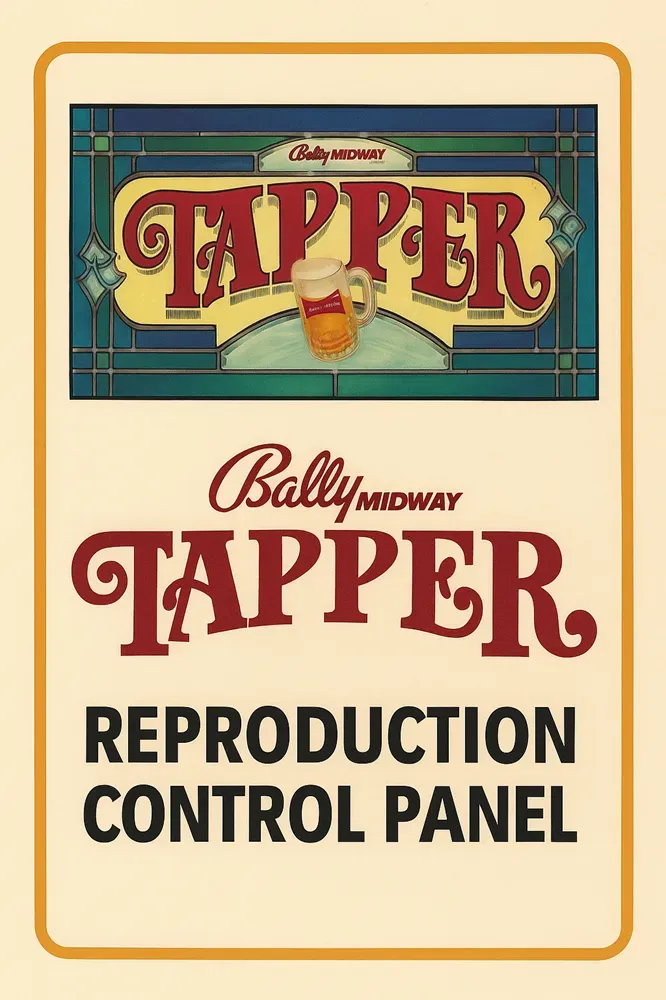
Tapper Arcade Reproduction Control Panel Direct replacement control panel for the Tapper arcade cabinet. This Tapper Arcade Reproduction Control Panel is designed as a direct replacement for the original panel used in dedicated Tapper upright arcade machines. The panel closely matches the original size, shape, and mounting layout so it installs properly in the cabinet while maintaining the authentic appearance of the control panel area. Original control panels often become rusted, bent, or heavily worn after decades of gameplay. This reproduction panel provides a clean and durable foundation for restoration projects, allowing collectors and technicians to rebuild the control panel while preserving the correct look and feel of the original arcade hardware. Important Information This listing includes the metal control panel only. No joystick, tap handles, buttons, wiring, harnesses, or wood components are included. If your original panel included these parts, they can be transferred from your existing control panel. No control panel overlay (CPO) is included with this panel. Please review the product image gallery to see the exact item included. Features Accurate reproduction of the original Tapper arcade control panel Correct mounting layout designed for upright cabinets Durable metal construction for long-term arcade use Ideal base for installing tap handles, buttons, and control panel overlay Perfect for arcade cabinet restoration or repair projects Compatibility Tapper (Bally Midway) Dedicated upright Tapper arcade cabinets Installation Notes Transfer original tap handles, buttons, wiring, and hardware from your existing control panel Install reproduction or original control panel overlay (CPO) after mounting hardware Verify alignment before tightening mounting hardware to ensure proper fit Product Specifications Product Type: Arcade Control Panel Game Compatibility: Tapper (Arcade) Cabinet Type: Upright Arcade Cabinet Material: Metal Includes: Metal control panel only Overlay Included: No Buttons Included: No Tap Handles Included: No Installation: Transfer original controls and wiring Whether you are restoring a worn cabinet or replacing a damaged panel, this Tapper arcade reproduction control panel helps bring your classic arcade machine back to its original appearance and gameplay experience.