
Qbert | Qbert Qubes | FHMC Qbert Multigame Free Play and High Score Save Kit



Product information "Qbert | Qbert Qubes | FHMC Qbert Multigame Free Play and High Score Save Kit"
Customize Your QBert Multigame Free Play and High Score Save Kit
Build your kit exactly how you want it. Choose a Wi-Fi Enabled Kit or a Standard Save Kit. You can also add a processor and/or a 40-pin socket—optional but recommended for easy installation.
Learn More About This Kit
Click a button to view details, tips, or the installation guide.
Multigame support for the entire Q*bert family, with menu or direct-boot options. Keep original gameplay while adding modern conveniences like Free Play, persistent high scores, attract sounds, and menu-driven DIP settings.
Main Features
- Easy install: No soldering, board modifications, or special wiring—plug in and go.
- Boot options: Start at the Game Menu or boot directly into Qbert, Qubes, FHMC, Mello Yello, or 7-Eleven variants.
- Save your scores forever: EEPROM-based, no batteries needed.
- High Score Save: Qbert saves Top 23; Qubes saves Top 20 (or 20 Supreme Nosers Elite).
- Attract Sounds: Enable at 25%, 50%, or 100% of cycle.
- Free Play: No more coins—even Qubes supports Free Play.
- Coin Up: Supports standard token/coin mode.
- Attract Mode: Reduces burn-in by eliminating static screens.
- Menu-driven DIP settings: All DIP options accessible onscreen.
- ROM Saver: Remove original ROMs to reduce heat/power.
- Cabinet compatibility: Supports upright and cocktail (including Qubes cocktail).
- God Mode: Unlimited lives for practice (scores not saved).
- Copyright options: Choose Gottlieb or HighScoreSaves branding.
Additional Features
- Backup & restore: Save/restore high-score tables—perfect before/after parties.
- Separate score tables: Individual tables for 2, 3, 4, or 5 lives.
- Qubes upgrades: Cocktail mode added; knocker enabled.
- Joystick initials entry: Use joystick Up for initials and level select.
- 7-Eleven bonus graphics: Unlocks unseen artwork.
Included Games
- Qbert
- Qbert Qubes
- FHMC Qbert (Faster, Harder, More Challenging)
- Mello Yello Qbert
- 7-11 Qbert
Important Installation Notes
- Socketed CPU required: Ensure your CPU is socketed before installing.
- Read the Q*bert Multigame Installation Guide (PDF) before installing.
FAQ
Do I need to solder anything?
No soldering is required—completely plug-and-play.
Does it save scores permanently?
Yes—EEPROM saves scores without batteries.
How many scores are saved?
Qbert saves Top 23; Qubes saves Top 20 (or Supreme Nosers Elite).
Can I use Free Play and coins?
Yes—supports Free Play plus standard coin operation.
Does it support attract sounds?
Yes—adjustable between 25%, 50%, or 100% of attract cycles.
What are the boot options?
Boot to main menu or directly into any included game.
Does it support backup and restore?
Yes—backup and restore functions are included.
What is God Mode?
Unlimited lives for practice (scores do not save in this mode).
Does it support cocktail cabinets?
Yes—supports upright, cocktail, and Qubes cocktail.
Where can I download the installation guide?


Login
2 reviews
October 19, 2025 1:26 PM
Qbert Multi A Must Have!
I bought this as soon as it was released. As always, never disappointed with a HSS product or service from Joe. I pulled out my flakey Mike Doyle multi and I couldn’t be happier!
October 15, 2025 11:18 PM
Highly recommend
This Qbert Free Play & High Score Save Kit installs without soldering and reliably stores top scores via EEPROM. I was impressed by how fast the kit arrived — it shipped within just a couple of days and was plug-and-play out of the box.
Accessories

Qbert Multigame Instruction Magnet This magnet applies and removes easily. It adheres to any ferrous metal (steel control panels, coin doors, etc.). For non-metal surfaces, use double-sided mounting tape (not included). Specifications Size: 3″ (L) × 2″ (W) Finish: Soft-laminated top Back: Strong magnetic backing
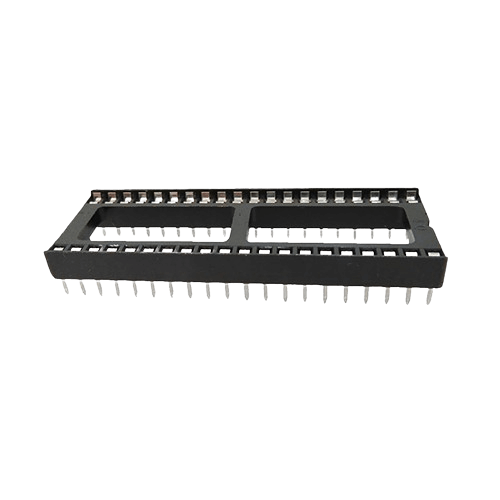
40 pin Socket Specifications Pitch: 2.54 mm (0.100″) Pins: 40 (2×20) Mounting: Through-hole (THT)
Spark your interest -

Customize Your Gyruss | Time Pilot Multigame Free Play and High Score Save Kit Build your kit exactly how you want it. Choose a Wi-Fi Enabled Kit or a Standard Save Kit. You can also add a processor and/or a 40-pin socket—optional but recommended for easy installation. Learn More About This Kit Click a button to view details, tips, or the installation guide: This Gyruss Multigame High Score Save and Free Play Kit allows you to play Gyruss, Time Pilot, and Pooyan on your original Gyruss PCB without a switcher! Most Gyruss PCBs will require additional sockets: 3× 16-pin PROMs (GYA/GYB/GYC), 1–2× 16-pin LS377s (depending on risers), and a 40-pin socket for the CPU. Install Info – No board modifications or special wiring required (though socket installation is required on most Gyruss PCBs). Main Features Easy install: Plug in and go (no modifications or wiring). Save your scores forever: Uses serial EEPROM (not NVRAM or batteries). High Score Save: Saves the Top 5 scores with initials. Attract Sounds: 25%, 50%, or 100% sound cycles. Freeplay: No more coins or opening the coin door. Coin Up: Still supports coins if desired. Attract Mode: Reduces screen burn. On-screen DIP settings: Menu-driven DIP options. ROM Saver: Original program ROMs removable. Cabinet Support: Works in Upright or Cocktail cabinets. Copyright: Choose Centuri or HighScoreSaves. Extended Scoring: Up to 9,999,990 points. Additional Features Backup & Restore: Save and restore high scores. Separate Score Tables: 3, 5, or 6 lives. Reset Button: Restart without powering down. Self-test: Via menu or DIP switches off. God Mode: Unlimited lives (scores not saved). Stealth Mode Multigame: Choose Gyruss, Time Pilot, or Pooyan at boot. Important Installation Notes Z80 must be socketed: Install a 40-pin socket if needed. Read the Gyruss | Time Pilot Multigame Installation Guide (PDF) before setup. Game List Gyruss Time Pilot Pooyan FAQ Which games are included?The kit supports Gyruss, Time Pilot, and Pooyan. Does this kit require soldering?Most Gyruss PCBs require additional sockets (PROMs, LS377s, CPU). How many high scores are saved?Permanently saves the Top 5 scores for each game. Will Freeplay disable coins?No. Coin Up still works even in Freeplay mode. Can I switch between games?Yes — via Stealth Mode multigame menu. Where is the install guide? Gyruss | Time Pilot Multigame Installation Guide (PDF) Resources Gyruss | Time Pilot Multigame — Installation Guide (PDF) HighScoreSaves YouTube Channel — Installation Tips HighScoreSaves Facebook Page HighScoreSaves eBay Store

Customize Your Hyper Sports | Track and Field | Rearranged Multigame Free Play and High Score Save Kit Build your kit exactly how you want it. Choose a Wi-Fi Enabled Kit or a Standard Save Kit. You can also add a processor and/or a 40-pin socket—optional but recommended for easy installation. Learn More About This Kit Click a button to view details, tips, or the installation guide: Compatibility Installs only on a working Hyper Sports PCB. Not compatible with Track & Field PCBs. The Hyper Sports PCB is unique in its sprite and graphics sections compared to Track & Field. This multigame kit lets you play Track & Field, Hyper Sports, and the new Hyper Sports Rearranged on a Hyper Sports PCB. Hyper Sports Rearranged mixes events and adds fresh twists to both games (with potential new levels). Requirements & Install Notes Please review the installation guide before purchase/installation. Soldering is required. Upper PCB: Z80 sound CPU socket (40-pin) at AB18; PROM socket 16-pin narrow at C3. Lower PCB: PROM sockets 16-pin narrow at A9 and J12. Set jumpers to 128 (not 64) at D10/D11 and F18/F19. Features Save your scores forever – Serial EEPROM (not NVRAM or batteries). High Score Save – Top 10 (T&F), Top 13 (Hyper Sports), Top 23 (Rearranged). Separate Score Tables – Each game has its own tables. ROM Revisions – Latest official builds. Attract Sounds – 25%, 50%, or 100% rotation. Attract Jingles – Jingles every 4th rotation; extras in Rearranged. Freeplay – No coins required. Coin Up – Still works. Attract Mode – Helps prevent screen burn. Controls – Supports players 1–4. On-screen DIP settings – No cabinet access needed. ROM Saver – Remove original program ROMs. Cabinet Support – Upright and Cocktail (4-player). Backup & Restore – Save/export high scores. Reset Button – Restart without powering down. Additional Features Choose your game – Boot to HS, T&F, or Rearranged. Stealth Mode – Boot to last played / auto-select. Practice Levels – Start at any event. Bonus Man Options – Track & Field only. Copyright – Konami/Centuri or website branding. Menu Lock – Prevent unauthorized settings changes. Processor – Uses a 6809E processor. Important Ensure all required sockets (Z80 & PROMs) are installed. This kit requires soldering — it is not plug-and-play. Read the Hyper Sports Rearranged Installation Guide (PDF) before beginning installation. Game List Track & Field Hyper Sports Hyper Sports Rearranged FAQ Which games are included with this kit? The kit includes Track & Field, Hyper Sports, and Hyper Sports Rearranged. Can I install this kit on a Track & Field PCB? No — installs only on Hyper Sports PCBs. Is soldering required? Yes. Sockets and jumper settings are required. How many high scores are saved? Track & Field: Top 10 Hyper Sports: Top 13 Rearranged: Top 23 Includes world record tracking. Does Freeplay disable coin use? No — Coin Up still works. Where can I download the installation guide? Hyper Sports Rearranged Installation Guide (PDF) Resources Hyper Sports Rearranged — Installation Guide (PDF) HighScoreSaves YouTube — Install Tips HighScoreSaves Facebook Page HighScoreSaves eBay Store

Customize Your Tron Multigame Free Play and High Score Save Kit Build your kit exactly how you want it. Choose a Wi-Fi Enabled Kit or a Standard Save Kit. You can also add a processor and/or a 40-pin socket—optional but recommended for easy installation. Learn More About This Kit Click a button to view details, tips, or the installation guide. Main Features Easy install: No soldering, board modifications, or special wiring. Plug in and go on your Tron PCB. 8-digit scoring: Score up to 99,999,999 — NO rollover at 999,999. Save your scores forever: Uses reliable serial EEPROM (not failure-prone NVRAM or batteries). High Score Save: Stores the Top 10 scores. Separate score tables: Individual high-score tables for each of the 4 game menus. Attract Sounds: Set to 25%, 50%, or 100%. Freeplay: No more coins or opening the coin door. Coin Up: Still supports coins if desired. Attract Mode: Minimizes screen burn by avoiding static screens. On-screen DIP settings: Menu-driven; no cabinet pull-out required. ROM Saver: Original program ROMs may be removed. Cabinet support: Works in Upright and Cabaret cabinets. Additional Features Backup & Restore: Save and restore scores — perfect before/after parties. Reset Button: Restart a game without power cycling. Latest ROM Revisions: Includes Tron 8/09 and latest Satan’s Hollow. Stealth Mode: Boot directly into last-played game or selected title. Satan’s Hollow shield options: Activate via Spinner, Up, Down, or Player 2 button (menu-selectable). Game List Tron Satan’s Hollow Important Installation Notes Socketed Z80 required: If your Z80 isn’t socketed, install a 40-pin socket for this kit to work. Read the Tron & Satan’s Hollow Multigame Installation Guide (PDF) before setup. FAQ Is installation plug-and-play?Yes. No soldering or board mods required — just ensure your Z80 is socketed. What’s the benefit of 8-digit scoring?Scores can reach 99,999,999 without rolling over at 999,999 — perfect for marathon players. Do Tron and Satan’s Hollow keep separate scores?Yes — each game has its own high-score table. Can I use Freeplay and still accept coins?Yes — Freeplay and Coin Up can be enabled simultaneously. Can I back up and restore high scores?Yes — Backup/Restore is built in. Can I choose which game it boots into?Yes — Stealth Mode lets you boot into last played or your selected title. Which cabinets are supported?Works in Upright and Cabaret TRON cabinets. What processor is required?A socketed Z80 CPU is required. Are latest ROM revisions included?Yes — includes Tron 8/09 and the latest Satan’s Hollow revisions. Where can I download the installation guide? Tron & Satan’s Hollow Multigame Installation Guide (PDF) Resources Tron Multigame — Installation Guide (PDF) HighScoreSaves YouTube Channel — Installation Tips HighScoreSaves Facebook Page HighScoreSaves eBay Store

Customize Your Discs of Tron Free Play and High Score Save Kit Build your kit exactly how you want it. Choose a Wi-Fi Enabled Kit or a Standard Save Kit. You can also add a processor and/or a 40-pin socket—optional but recommended for easy installation. Learn More About This Kit Click a button to view details, tips, or the installation guide. Main Features Easy install: No soldering or board mods. Plug in and play! Save your scores forever: Uses serial EEPROM, not failure-prone NVRAM or batteries. High Score Save: Stores the Top 10 scores. Attract Sounds: Adjustable to 25%, 50%, or 100% of the attract cycle. Copyright message: Switch between manufacturer or HighScoreSaves branding. Freeplay: No coins needed. Coin-Up: Still supports tokens/quarters. Attract Mode: Reduces screen burn. On-screen DIP settings: Menu-driven settings adjustments. ROM Saver: Remove program ROMs to save power. Cabinet support: Works in Upright or Cocktail cabinets. Additional Features Backup & Restore: Save and restore high scores. Separate score tables: For 2, 3, 4, or 5 lives. Stealth Mode: Enter menu by holding P1 on power-up. Bonus Life Options: 10k, 20k, 40k, or 80k. Initial Entry Options: Choose 2 or 3 initials. Important Installation Notes Z80 must be socketed: Install a 40-pin socket if needed. Read the Discs of Tron Free Play and High Score Save Kit Installation Guide (PDF) before setup. Note: This kit requires an original Discs of Tron PCB and a socketed Z80 CPU. FAQ How many scores are saved?Top 10 scores. Freeplay & Coin-Up?Supports both modes. Bonus life & initials?Bonus lives: 10k / 20k / 40k / 80k. Initials: 2 or 3. Which CPU?Socketed Z80. Download the Installation Guide Download Discs of Tron Installation Manual (PDF) Resources Discs of Tron Free Play and High Score Save Kit — Installation Guide (PDF) HighScoreSaves YouTube Channel — Installation Tips HighScoreSaves Facebook Page HighScoreSaves eBay Store
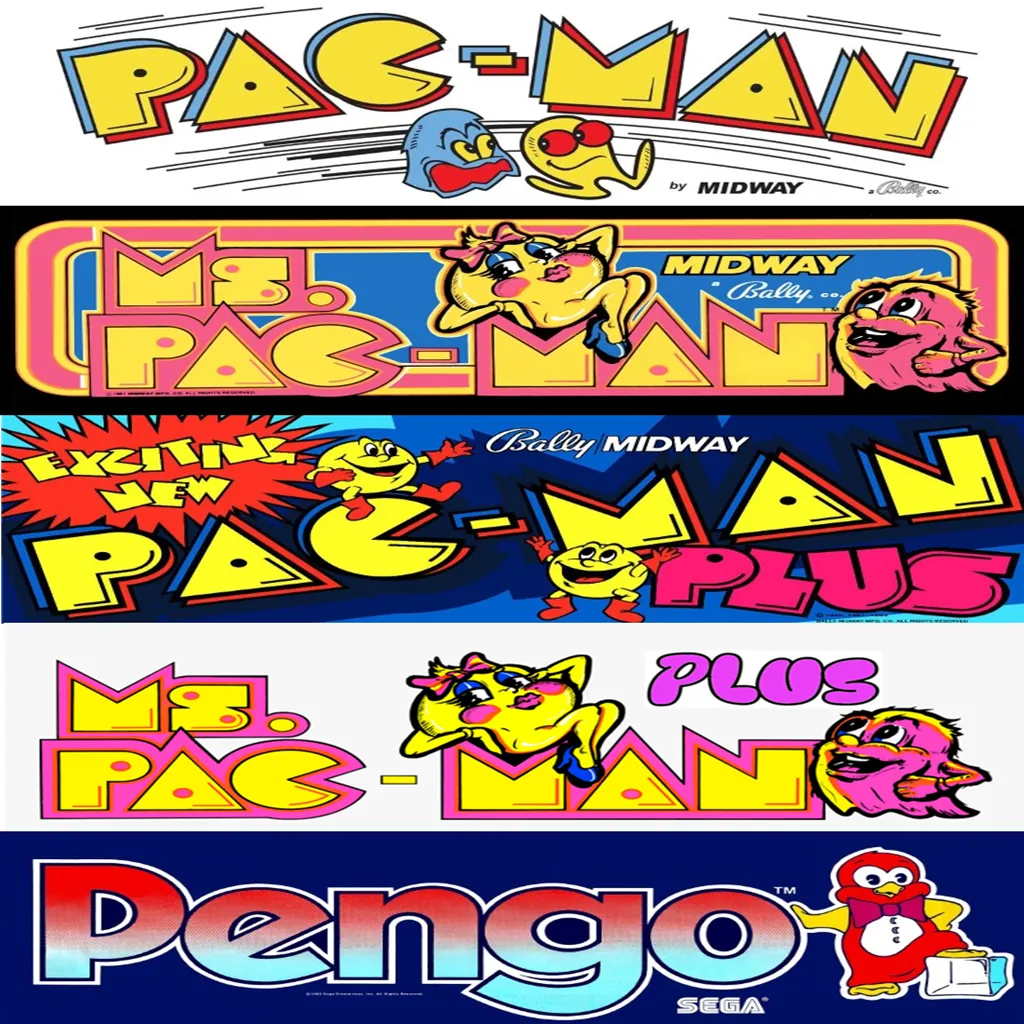
Customize Your Pacman | Ms Pacman Multi Game Free Play and High Score Save Kit Build your kit exactly how you want it. Choose a Wi-Fi Enabled Kit or a Standard Save Kit. You can also add a processor and/or a 40-pin socket — optional but recommended for easy installation. Learn More About This Kit Click a button to view details, tips, or the installation guide. Main Features Easy install — No soldering, board modifications, or special wiring. Plug in and go. Save your scores forever — Uses reliable serial EPROM (not NVRAM or batteries). High Score Save — Saves the Top 10 scores with initials. Attract Sounds — Adjustable to 25%, 50%, or every attract screen. Freeplay — No more coins or opening the coin door. Coin Up — Still supports coins if desired. Attract Mode — Prevents static burn-in on screens. Copyright options — Show original Midway logos or the HighScoreSaves logo. Menu-driven DIP settings — Change DIP switches without opening the cabinet. ROM Saver — Original program ROMs must be removed with this kit installed. Cabinet support — Works in Upright, Cabaret, or Cocktail cabinets. Ships with latest v1.09e version — The best Pac Multi yet! Additional Features Backup & Restore — Back up and reload your scores, great for parties. Fast or Original versions — Play either mode. Extended scoring — Supports up to 9,999,990 points (7-digit saves, no rollover). Separate high score tables — Maintains separate tables for Fast and Original play. Stealth Mode — Choose what game the kit boots to. Enable/disable submenus to restrict guest access. Game select menu included. Option to play Inky and Pinky with original Pac bug behavior or fixed AI. Turn off the “kill screen” to continue past level 255. Switch ghost names from original to alternates. Start at Level 1, Apple level, Key level, or directly at 255 to see the kill screen. Pengo! — Playable using P1 button, no control panel mods required. Important Installation Notes Ensure your Z80 is socketed. If not, install a 40-pin socket for compatibility. Read the installation guide before starting — Pac-Man | Ms. Pac-Man Multigame Installation Guide (PDF) . Compatible PCBs — Works with Pac-Man, Ms. Pac-Man, and Pac-Man Plus boards. Changes color PROMs: Pac-Man Plus, Ms. Pac-Man Plus, and Pengo will have original colors and sounds. New RAM Test (v1.09+) — DIP 1 and 2 OFF triggers an automatic RAM diagnostic at startup; DIP 1/2 ON disables the loop test. Game List Fast Versions Pac-Man Ms. Pac-Man Pac-Man Plus Ms. Pac-Man Plus Original Versions Pac-Man Ms. Pac-Man Pac-Man Plus Ms. Pac-Man Plus Pengo V3 Pengo V2 Just the FAQ's Which PCBs are compatible?Original Pac-Man, Ms. Pac-Man, and Pac-Man Plus boards. Do I need to remove the original program ROMs?Yes. With ROM Saver enabled, original program ROMs must be removed. How many scores are saved?The kit saves the Top 10 scores with initials and maintains separate tables for Fast and Original modes. Does it support Freeplay and coins?Yes. Enable Freeplay or keep Coin Up active—your choice. Can I bypass the kill screen?Yes. You can disable the kill screen and continue past level 255. What’s included in v1.09e?v1.09e includes the latest RAM test, extended scoring, and refinements to the multigame menu and options. Is Pengo included and how is it controlled?Yes, Pengo is included and is playable using the P1 button—no control panel mods required. Can I change ghost AI and names?Yes. Toggle original Pac bug behavior vs fixed AI, and switch between original and alternate ghost names. Will colors/sounds be correct on Plus and Pengo?Yes. Color PROMs are handled so Pac-Man Plus, Ms. Pac-Man Plus, and Pengo use original colors and sounds. Where is the installation guide?Right here: Pac-Man | Ms. Pac-Man Multigame Installation Guide (PDF) . Resources Pac-Man | Ms. Pac-Man Multigame — Installation Guide (PDF) HighScoreSaves YouTube Channel — Installation Tips HighScoreSaves Facebook Page HighScoreSaves eBay Store