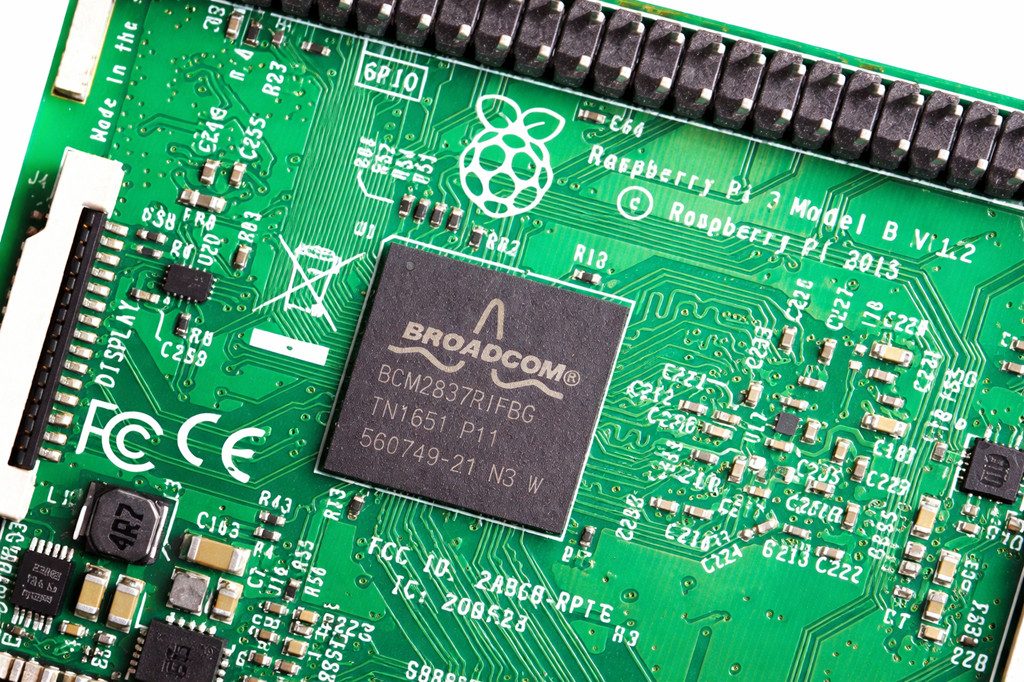
Raspberry Pi - Model 3B
$45.00
Available, delivery time: 2-5 days
Product information "Raspberry Pi - Model 3B"
Raspberry Pi - Model 3B Overview
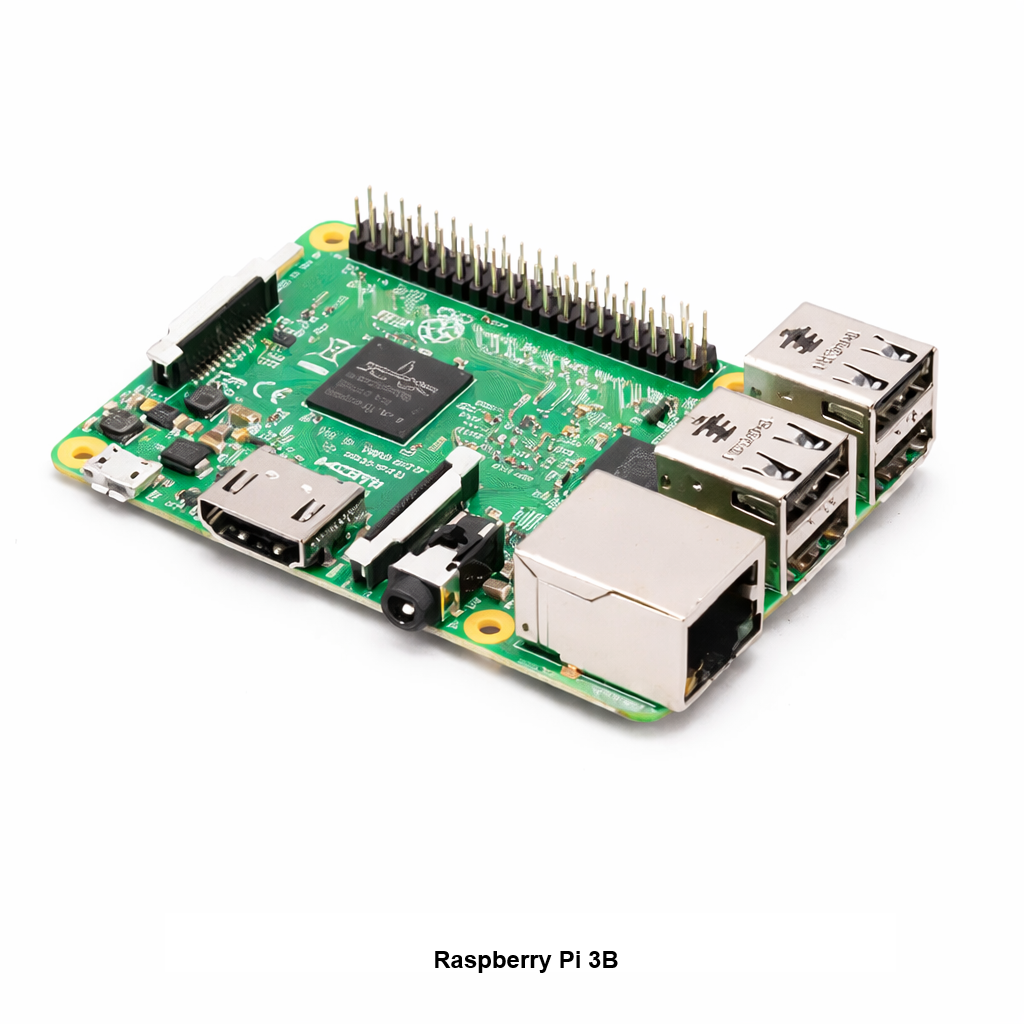
The Raspberry Pi - Model 3B is a compact single board computer commonly used for embedded projects and arcade builds. It is often paired with an ArPiCade Raspberry JAMMA Adapters to power a JAMMA cabinet setup.
You'll Need (Not Included)
- Micro SD card with an ArPiCade image installed
- One of the following ArPiCade Raspberry JAMMA units:
- Keyboard and mouse (for menu customization)
Specifications
Raspberry Pi 3 Model B is the earliest model of the third-generation Raspberry Pi.
- Quad Core 1.2GHz Broadcom BCM2837 64bit CPU
- 1GB RAM
- BCM43438 wireless LAN and Bluetooth Low Energy (BLE) on board
- 100 Base Ethernet
- 40-pin extended GPIO
- 4 USB 2 ports
- 4 Pole stereo output and composite video port
- Full size HDMI®
- CSI camera port for connecting a Raspberry Pi camera
- DSI display port for connecting a Raspberry Pi touchscreen display
- Micro SD port for loading your operating system and storing data
- Upgraded switched Micro USB power source up to 2.5A
0 of 0 reviews
Average rating of 0 out of 5 stars
Login
Harness the Action
ArPiCade Mini Raspberry Pi JAMMA Adapter The ArPiCade Mini is a compact Raspberry Pi JAMMA adapter designed for modern high-resolution LCD and LED arcade cabinets. It converts a Raspberry Pi into a JAMMA-compatible arcade board while keeping your cabinet wiring clean and unmodified. Built for standard JAMMA harnesses, the ArPiCade Mini is ideal for custom builds, cabinet upgrades, and space-conscious installations where simplicity and reliability matter most. Compatibility Raspberry Pi models: Compatible with Pi 3B / 3B+ and Pi 4. Provided images are for Pi 3B / 3B+. Cabinet wiring: Standard JAMMA harness with 6 buttons populated (fully populated / CHAMMA style). No cabinet modifications: No ribbon cables or external kick harnesses required. Raspberry Pi Model 3B is Available Here (Stock Is Limited) The ArPiCade Mini is commonly paired with a Raspberry Pi 3B. You can purchase the Raspberry Pi Model 3B directly from HighScoreSaves while inventory is available. Video Output and Display Options Video output is provided via the Raspberry Pi HDMI port or through an optional DAC for VGA when using LCD or LED arcade monitors. This adapter is intended for high-resolution displays and modern cabinet setups. Key Features Designed for high-resolution LCD and LED JAMMA cabinets Compact, streamlined JAMMA adapter with minimal wiring clutter Fixed 6-button JAMMA control layout Lower-cost alternative to full-size multigame JAMMA boards Limitations and Intended Use Not for CGA: Does not support low-resolution CGA monitors No 4-player expansion: Not compatible with the ArPiCade 4-Player add-on Images: Provided software images target Pi 3B / 3B+. Pi 4 is supported, but images are not Pi-4-specific Best use case: Ideal for JAMMA cabinet upgrades, Pandora’s Box replacements, and modern custom arcade builds Note on Raspberry Pi 4 performance: The Pi 4 offers improved performance and support for newer cores compared to the Pi 3. Some demanding titles may still require tuning or overclocking and are not included in provided images. ArPiCade software images are not returnable. Exchanges are available if an issue occurs. Game List Image Downloads Laser Disc Trilogy 1679 Horizontal Arcade 397 Vertical Cocktail Arcade 708 Vertical Upright Arcade 5000+ Horizontal Arcade and Console Support and Community Visit the ArPiCade Forums ArPiCade Mini FAQ Which Raspberry Pi models are supported?Compatible with Pi 3B, Pi 3B+, and Pi 4. Provided images are for Pi 3B and 3B+. Does it support CGA monitors?No. The ArPiCade Mini is intended for high-resolution LCD or LED displays. Can I use a 4-player adapter?No. The Mini does not support the 4-player expansion board. How are buttons configured?Controls are fixed at 6 buttons via the JAMMA harness. Is a DAC required?Only if VGA output is needed. HDMI does not require a DAC. Where can I get technical help?Support and community assistance are available on the ArPiCade forums.
Average rating of 5 out of 5 stars
Tips and Tricks ArPiCade Raspberry Pi JAMMA Adapter The ArPiCade Raspberry Pi JAMMA Adapter is a plug-and-play solution designed for dedicated JAMMA arcade cabinets. It allows you to run arcade and console games from a Raspberry Pi using original cabinet wiring and controls. This adapter works with classic CGA tube monitor cabinets and can also be used with LCD, LED, or HDMI displays if a tube monitor is unavailable or impractical to repair. Overview and Setup The ArPiCade JAMMA Adapter connects directly to your JAMMA wiring harness and draws power from the cabinet’s switcher. No external power supplies or cabinet modifications are required. Built on an open platform, ArPiCade allows customization of menus, display resolutions, and system behavior, making it a flexible choice for both original cabinets and modern arcade builds. Key Features No cabinet modification required Supports standard JAMMA or 6-button JAMMA configurations via DIP switches RGBS video output for arcade monitors or VGA for higher-resolution displays Amplified mono or line-level stereo audio options Controls and Harnesses Players 1 and 2 connect through the JAMMA harness and support up to three buttons per player by default. For additional buttons: 6-pin harness: Adds buttons 4, 5, and 6 for Player 1 and Player 2 (ideal for fighting games) Some cabinets may require drilling control panel holes if additional buttons are not already present. Pre-made plug-and-play harnesses are available in our store. System Requirements Raspberry Pi 3B or 3B+ (supported images) Raspberry Pi 4 or Pi 5 (requires separate images) ArPiCade Raspberry Pi JAMMA Adapter SD card with menu and game images JAMMA-compliant arcade cabinet or Super Gun Raspberry Pi Model 3B Is Available Here (Stock Is Limited) The ArPiCade Raspberry Pi JAMMA Adapter is commonly paired with a Raspberry Pi 3B. You can purchase the Raspberry Pi Model 3B directly from HighScoreSaves while inventory is available. Important Notes Provided images support Raspberry Pi 3B and 3B+ only Raspberry Pi is not included and must be supplied separately Images for Pi 4 and Pi 5 are available through the ArPiCade forums Game List Downloads 397 Vertical Cocktail Games 708 Vertical Monitor Games 1679 Horizontal Monitor Games 5000+ Horizontal Arcade and Console Games Laser Disc Trilogy Support and Community Visit the ArPiCade Forums Frequently Asked Questions Which Raspberry Pi models are supported?Images support Pi 3B and 3B+. Pi 4 and Pi 5 require separate images. Is a Raspberry Pi included?No. The adapter does not include a Raspberry Pi. Do I need an external power supply?No. Power is supplied directly from the JAMMA switcher. What displays are supported?RGBS for arcade monitors, VGA for higher resolutions, and HDMI for LCD or LED displays. How many buttons per player?Up to three via JAMMA, six with the optional harness. Do I need to modify my cabinet?No modifications are required for standard JAMMA cabinets. Where can I get help?Support and community assistance are available on the ArPiCade forums.
Average rating of 5 out of 5 stars
ArPiCade 3 and 4 Player JAMMA Adapter for Raspberry Pi Tips and Tricks The ArPiCade 3 and 4 Player JAMMA Adapter is designed for dedicated JAMMA arcade cabinets that require support for three or four players. It allows multiplayer arcade games to run from a Raspberry Pi using original cabinet wiring and controls. This system is compatible with classic CGA tube monitor cabinets and can also be used with LCD or flat-panel displays when a tube monitor is unavailable or impractical to repair. Overview and Setup The ArPiCade 3 and 4 Player adapter connects directly to the JAMMA wiring harness and draws power from the cabinet’s switcher. No external power supplies are required. Built on an open platform, ArPiCade allows customization of menus, display resolutions, and system behavior, making it well suited for multiplayer cabinets and custom arcade builds. Key Features No cabinet modification required (optional harnesses available) Supports standard JAMMA or 6-button JAMMA configurations via DIP switches RGBS video output for arcade monitors or VGA for higher-resolution displays Amplified mono or line-level stereo audio output Controls and Harnesses Players 1 and 2 connect through the JAMMA harness and support up to two or three buttons by default. For additional buttons or players: 6-pin harness: Adds buttons 4, 5, and 6 for Player 1 and Player 2 9-pin harness: Adds Player 3 and Player 4 controls (Konami images may require two harnesses) Some cabinets may require drilling new control panel holes if additional buttons are not already present. Pre-made plug-and-play harnesses are available in our store. System Requirements Raspberry Pi 3B or 3B+ (supported images) ArPiCade 3 and 4 Player JAMMA Adapter JAMMA-compliant arcade cabinet Raspberry Pi Model 3B Is Available Here (Stock Is Limited) The ArPiCade 3 and 4 Player JAMMA Adapter is commonly paired with a Raspberry Pi 3B. You can purchase the Raspberry Pi Model 3B directly from HighScoreSaves while inventory is available. Important Notes Provided images support Raspberry Pi 3B and 3B+ only Raspberry Pi is not included and must be supplied separately Caution: When installing the 4-Player adapter PCB, ensure pins are properly aligned before powering on. Incorrect alignment may damage the Raspberry Pi. Game List Downloads 17 Konami Multiplayer Games 80 Three and Four Player Games 80 Multiplayer Games plus 5000+ Arcade Titles Support and Community Visit the ArPiCade Forums ArPiCade 3 and 4 Player FAQ Which Raspberry Pi models are supported?Provided images support Raspberry Pi 3B and 3B+. Other models require separate images. Is a Raspberry Pi included?No. The Raspberry Pi must be provided separately. How are Player 3 and Player 4 connected?Using optional 9-pin harnesses. Some images require two harnesses. How do I enable extra buttons?Use the optional 6-pin harness to add buttons 4–6 for Player 1 and Player 2. Do I need to modify my cabinet?No modifications are required unless additional buttons must be physically added. What installation precautions should I take?Ensure all pins are aligned correctly before powering on to avoid hardware damage. Are ArPiCade images returnable?No. Images are not returnable, but exchanges are available if issues occur. Where can I get support?Community and technical support is available on the ArPiCade forums.